
Last Updated: November 4, 2026
Quick Summary
Lender requirements for virtual closings vary by lender, mortgage product, and province, so there is no single national rule. Most lenders accept remote signing but set conditions on identity verification, notarial certificates, and how signed documents are returned. Confirm your lender's position in writing before booking.
- Ask your lender early which documents must be notarized and whether they accept electronic counterparts.
- Confirm the specific e-signing platform your lender accepts, not just that electronic signature is fine.
- Check whether the lender requires a wet-ink original or accepts the notarial certificate as a PDF.
- Verify your government-issued photo ID is valid, unexpired, and matches your legal name on the mortgage.
- Run a test call on the notary's actual platform the day before your session.
Table of Contents
- What a Virtual Closing Means for Your Mortgage
- How Lenders Decide Whether a Remote Closing Is Allowed
- FINTRAC Identity Verification Requirements Explained
- LSO Digital Identity Authentication Guidelines for Remote Signings
- Mortgage Closing Document Checklist for a Virtual Signing
- Technical Requirements and Troubleshooting a Failed Video Session
- Booking Your Remote Closing With a Commissioned Notary
- Frequently Asked Questions
What a Virtual Closing Means for Your Mortgage
Lender requirements for virtual closings are strict in some areas and flexible in others, and the difference comes down to how your lender and your notary verify identity and handle signatures.
Most lenders will accept a remote signing, but they set conditions on how it is done.
Mortgage closings involve more than a single signature. You will typically sign a mortgage charge, a statement of adjustments, an acknowledgment of the terms, and sometimes a direction to pay.
How Lenders Decide Whether a Remote Closing Is Allowed
Lenders decide whether a remote closing is allowed based on their internal policies, the type of mortgage product, and the requirements of the province where the property is located. There is no single national rule that forces every lender to accept or reject a virtual closing.
Several factors usually shape that decision:
- The property's location and title status. Land registration rules vary by province, and some transactions require the signing to meet specific execution standards.
- The identity verification method. Lenders need confidence that the person signing is the named borrower.
- The notary's commission and procedures. The lender will often confirm that the notary is authorized to perform the act in the province.
A common mistake is assuming that because your notary offers a virtual session, your lender will automatically accept the result. Confirm the lender's position in writing before you book.
FINTRAC Identity Verification Requirements Explained
The Financial Transactions and Reports Analysis Centre of Canada (FINTRAC) sets anti-money-laundering rules that apply to reporting entities, which include many lenders and real estate professionals. For a practical walkthrough of how identity gets verified for a property transaction online, see how identity is verified for a property transaction online. These rules require that a person's identity be confirmed using acceptable methods before certain transactions proceed (Methods to verify the identity of persons and entities). You can review the official requirements on FINTRAC guidance on identity verification.
In a remote closing, identity verification usually combines a government-issued photo ID with a secondary check. The specifics depend on the reporting entity's compliance program, so the method your lender uses may differ from what your notary uses.
Government-issued photo ID and what counts
A government-issued photo ID is the foundation of identity verification. In practice, this usually means a valid Canadian driver's licence, passport, or other government-issued card that shows your photo, full name, date of birth, and an expiry date.
During a video session, the notary typically asks you to hold the ID up to the camera and may compare it with your appearance in real time.
Credit file and dual-process verification
Some lenders and reporting entities use dual-process verification, which combines a photo ID check with a second source such as a credit file. The second source confirms that the identity details are consistent with records held by an independent party.
If your lender requests dual-process verification, let your notary know in advance. Providing the credit file information early reduces the risk of a session stalling because a secondary check is incomplete.
LSO Digital Identity Authentication Guidelines for Remote Signings
The Law Society of Ontario (LSO) regulates lawyers in Ontario and publishes guidance on how legal professionals may verify identity and execute documents when they are not in the same room as the signer. The LSO's current expectations on digital identity authentication are available through Law Society of Ontario practice guidance.
Many mortgage closings involve a lawyer who relies on the signing being properly witnessed or certified. Ask your lawyer whether they are comfortable with a remote notarization and what format they require for the notarial certificate.
Standards for remote notarization are evolving, and the details can change. Confirm the current guidance with your lawyer and your notary rather than relying on a summary from any single source.
Mortgage Closing Document Checklist for a Virtual Signing
A complete document package is one of the most common reasons a virtual closing gets delayed. The checklist below covers the documents themselves, but the harder question is whether your lender will accept each one electronically, and that answer varies by lender, by province, and by document type. To check which identification notaries will accept, see which IDs are valid for notary services.
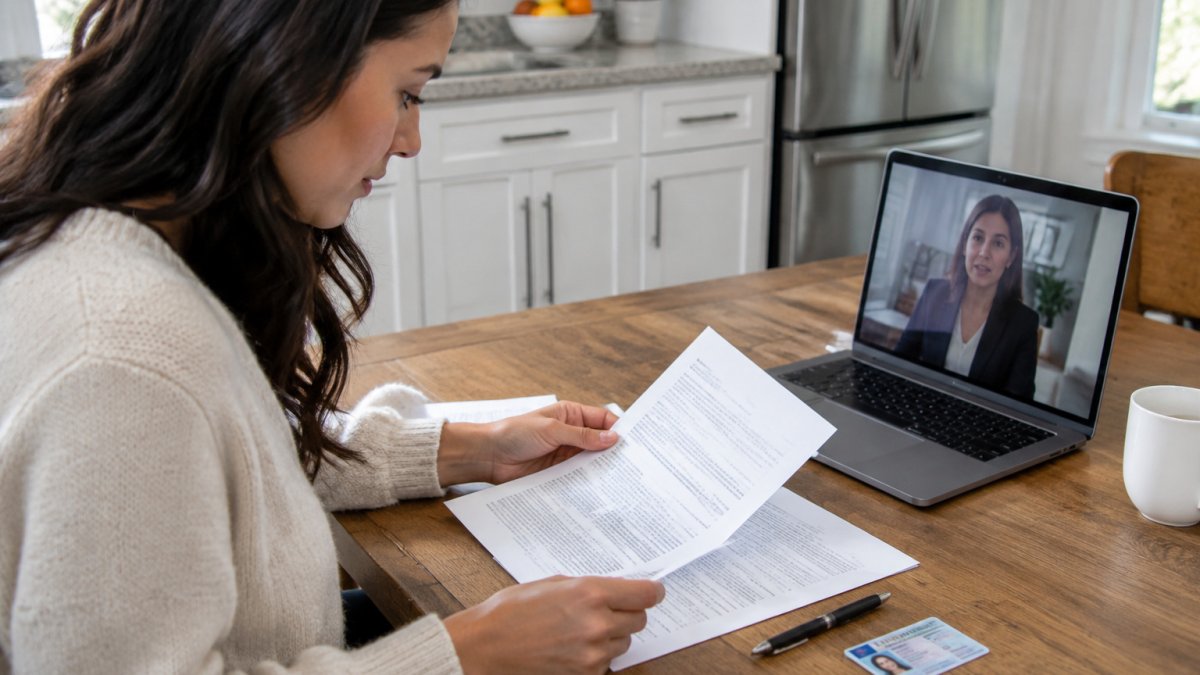
The document checklist
- Government-issued photo ID that is valid and unexpired
- Mortgage charge or mortgage documents as provided by your lender
- Statement of adjustments or closing statement
Some lenders require original signatures on certain forms and will ask you to courier them afterward. For a guide to handling closing paperwork without travel, see closing without travel or paperwork. Confirm the return process before the session so you can send the originals promptly.
Lender-specific technology compatibility: the questions to ask
Most guides stop at the checklist. The gap is that lenders do not all use the same signing and notarization stack, and a session that works for one lender's package can fail for another's. Before you book, get written answers to these questions from your lender or mortgage broker:
- Which platform does the lender accept for remote signing? Some lenders run their own portal, some accept a notary's platform, and some accept only a specific e-signature vendor. Ask for the name of the accepted platform, not just "electronic signature is fine."
- Does the lender accept a notarial certificate delivered as a PDF, or does it require a wet-ink original? This single answer determines whether you can close fully remotely or need a courier step.
- Does the lender's solicitor need to review the notarial certificate before funding? If so, build a review window into your timeline.
- Are there document-specific exceptions? A common pattern is that the mortgage charge itself is accepted electronically while a direction to pay or an undertaking must be original. Ask which specific forms fall outside the electronic path.
- What file format and naming convention does the lender require for the returned package? Small formatting mismatches cause rework more often than people expect.
- Does the lender require the notary to be commissioned in the province where the property is located, or will a notary commissioned elsewhere in Canada be accepted? Provincial commissioning rules differ, and this is a frequent source of last-minute rescheduling.
Watch out: a lender saying "we accept virtual closings" is not the same as that lender accepting your notary's platform and certificate format. Get the platform name and the certificate format in writing, and forward both to your notary before the appointment.
Matching the package to the lender's instructions
Lender instructions can vary from file to file. Read the instructions line by line and map each document to one of three buckets: accepted electronically as-is, accepted electronically with a notarial certificate, or original required. Share that mapping with your notary and your lawyer so no one assumes a document is covered when it is not.
The table below sets out the documents to gather and the lender questions to settle before a virtual signing.
| Item | What to check | Note |
|---|---|---|
| Photo ID | Valid and unexpired | Damaged or obscured cards can fail the session |
| Mortgage documents | Provided by your lender | Some forms may need originals |
| Platform | Name the lender accepts | A generic "e-signature is fine" is not enough |
| Notarial certificate | PDF or wet-ink original | Determines whether a courier step is needed |
| Lawyer review | Required before funding or not | Build a review window into your timeline |
| Notary commission | Province where property is located | Commissioning rules differ by province |
Technical Requirements and Troubleshooting a Failed Video Session
Technical problems are a frequent cause of failed virtual closings, and many of them are preventable. What almost no guide covers is the harder question: what happens to your documents, and your funding date, when the session fails after you have already signed. This section covers both the setup and the failure protocol.
Pre-flight protocol (do this the day before)
- Run a short test call on the notary's actual platform, not a different video app. For the full set of preparation steps before a remote session, see how to prepare for virtual notary services.
- Confirm your camera, microphone, and speakers work inside the browser or app you will use, with permissions granted.
- Check your upload speed, not just your download speed; video sessions need both.
Common issues and practical fixes
- Poor audio or video quality. Move closer to your router, close other bandwidth-heavy applications, and use a wired connection if possible.
- Camera not recognized. Grant camera and microphone permissions in your browser settings and restart the browser.
- Session drops mid-signing. Switch to your phone's hotspot, then rejoin the same session link rather than starting a new one.
What happens if the session fails after you have signed
This is the scenario most borrowers worry about and most guides ignore. The answer depends on where in the session the failure occurs:
- Failure before any signature. The notary can usually reschedule at no legal cost to you. Confirm the rescheduling policy when you book.
- Failure after signing but before the notarial certificate is completed. The document may not be valid as executed. Ask the notary immediately how the file will be handled, whether the session can be resumed, whether the signatures must be re-executed in a fresh session, and whether the lender will accept a re-signed package without a new funding date.
- Failure after the certificate is completed but before delivery. The signed package usually survives; the issue becomes delivery. Confirm the notary's delivery method and keep a copy of the completed package yourself.
Watch out: do not assume a dropped session can simply be resumed where it left off. Some platforms preserve session state and some do not, and a resumed session that skips a step can leave a gap in the notary's record. Ask the notary before the session what the resume policy is.
Escalation path and record-keeping
If a session fails, contact your notary first, then your lawyer, then the lender's funding desk, in that order, because each needs the previous party's account of what happened. Keep a record of the session date, time, platform, error messages, and any screenshots. If the failure threatens your closing date, ask your lawyer whether the lender will grant a short extension and what documentation the lender needs to support it.
Booking Your Remote Closing With a Commissioned Notary
Once your lender and lawyer have confirmed the remote signing is acceptable and you have assembled your documents, the next step is to book the session.
When you book, share the closing date, your lender's name, and the list of documents to be notarized. If you are looking for local options, see notary public services in London.
Allow enough time before your closing date for the notary to complete the session, deliver the signed documents, and for your lawyer to review them.
Frequently Asked Questions
Do all lenders accept virtual closings for mortgages?
No. Each lender sets its own rules on whether a remote signing is permitted for a given mortgage product, and many require the lender's approval before the closing is booked. Ask your lender or mortgage broker early in the process whether a virtual closing is available for your file. Your lawyer or notary can also confirm whether the lender's instructions allow remote execution of each document. Confirming this before you book avoids rescheduling that could affect your closing date.
What identity verification methods do lenders require for remote closings?
Lenders generally require the signer to show a valid government-issued photo ID and to pass an identity check. The notary or lawyer conducting the session usually compares the ID against the signer's live video. Depending on the file, a credit file check or a second identity source may also be used. Requirements vary by lender, so confirm the specific methods they accept.
Are virtual real estate closings legally binding in Ontario?
Documents signed in a virtual closing can be legally binding in Ontario when the signing meets the applicable legal requirements. The signer must be properly identified and the commissioner must follow the required procedures. Because enforceability depends on the specific documents and transaction, confirm the process with your lawyer or notary before signing.
What documents are typically required for a virtual mortgage closing?
A virtual mortgage closing typically involves the mortgage documents from the lender, the closing disclosure, the transfer or deed documents, and any statutory declarations or affidavits the file requires. Your lawyer or notary will confirm which documents the lender has approved for electronic execution. Gather your government-issued photo ID before the session and check that the document versions match what the lender has sent. Any document the lender requires in wet-ink form will need to be handled separately.
