Quick Summary
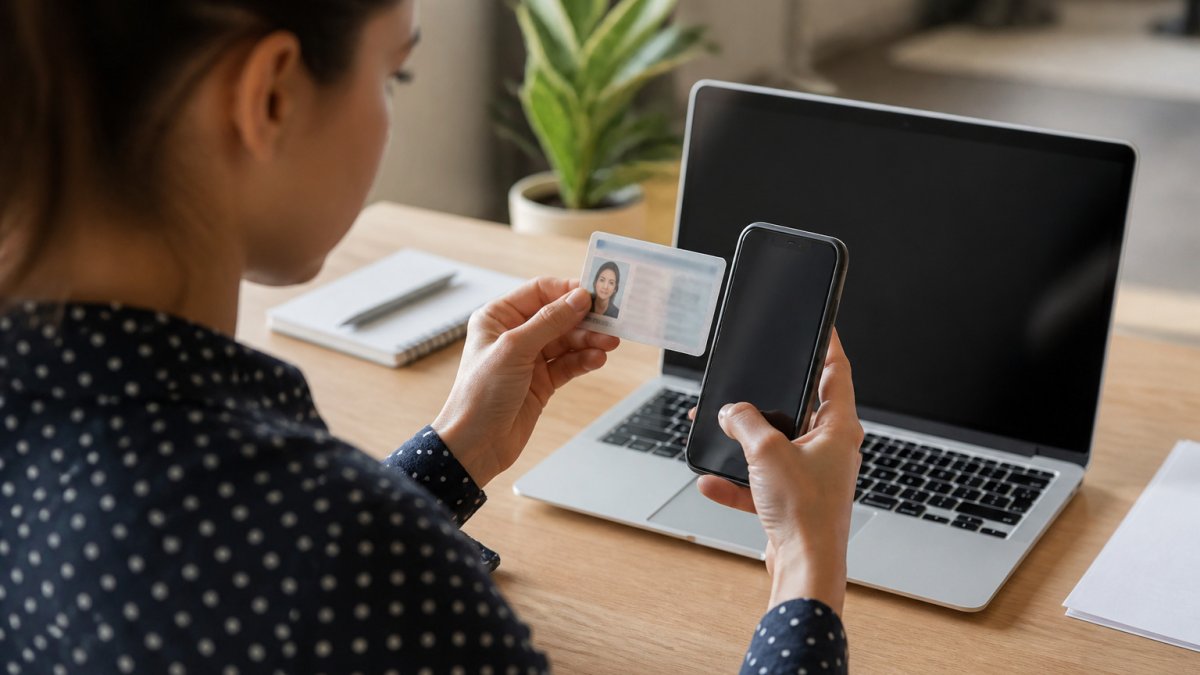
Identity verification for a property transaction is done by matching the signer to a valid government-issued photo ID, either in person or through a live video session with a notary. The notary confirms the photo, name and document condition before signing. The Online Notary offers the remote option, which is available evenings and weekends.
- The notary checks the photo, name and document condition before the signing takes place.
- Acceptable primary IDs include a valid Canadian driver's licence or passport.
- Expired or heavily worn ID is a common reason a signing gets delayed.
- Photocopies or screen images of ID are not accepted in place of the original.
- Remote sessions run 7am to 11pm, and the signer should ask about video retention.
Table of Contents
- What Identity Verification Means in a Property Transaction
- When Identity Checks Are Required and Who Must Carry Them Out
- Acceptable Identity Documents and How to Check Them for Authenticity
- In-Person Versus Remote Verification: Comparing the Methods
- Step-by-Step Workflow for Identity Verification on a Property Purchase
- Handling Failed Verification, Exceptions and Privacy Obligations
- Using Online Notarization for Real Estate Documents: Your Next Step
- Frequently Asked Questions
What Identity Verification Means in a Property Transaction
Last Updated: November 4, 2026
Identity verification is the process of confirming that the person signing a property document is who they claim to be. In Canada, this check protects buyers, sellers, lenders and the lawyers and notaries who handle the file. The Online Notary provides a remote option for this step, using live video and a secure identity check.
Digital identity verification for property transactions follows the same goal as an in-person check. The difference is how the proof is gathered. Instead of showing a card across a desk, you show it to a notary through a secure video session.
Identity verification is the act of matching a living person to a valid government-issued photo ID. The notary confirms the photo, the name, and the document's condition before signing.
A property transaction involves large sums and long-term ownership records. If the wrong person signs, the sale can be reversed and the rightful owner can lose money or title. That is why the check matters.
Key goals of the process include:
- Confirming the signer's legal identity
- Preventing identity fraud and title fraud
- Creating a record that the check was completed
- Meeting the expectations of lenders and land registries
Many buyers assume the check is a formality. In practice, it is the step that makes a signed document hold up later. Treat it as a core part of the closing, not a box to tick.
When Identity Checks Are Required and Who Must Carry Them Out
Identity checks are typically required at the point where a document is signed and witnessed. Lenders, land registry offices and real estate professionals each have their own rules, so confirm the exact requirement for your file.
In a typical Ontario property transaction, the check happens when:
- A mortgage or charge document is signed
- A transfer or deed is executed
- A power of attorney is signed for a real estate matter
- A statutory declaration or affidavit is sworn for the file
Who carries out the check depends on the role. Most often this is the lawyer, notary, or other professional acting on the transaction. Your real estate professional may also collect identification as part of their own obligations.
Watch out: a notary can only verify identity they have properly checked. A signature without a completed ID check may be rejected by the registry, so ask your notary what they require before the appointment.
Acceptable Identity Documents and How to Check Them for Authenticity
Most offices accept current, government-issued photo identification. In practice, practitioners tend to group acceptable documents into three tiers, and knowing which tier your file falls into prevents last-minute delays.
Tier 1, Primary government-issued photo ID. These are the documents most commonly accepted without a second piece of ID:
- A valid Canadian driver's licence (provincial or territorial)
- A valid Canadian passport
- A provincial or territorial photo identity card
- A Canadian permanent resident card
- A Secure Certificate of Indian Status
Tier 2, Secondary or supporting documents. These are usually accepted alongside a Tier 1 document, or when a Tier 1 document is unavailable:
- A birth certificate
- A citizenship card or certificate
- A record of landing or confirmation of permanent residence
- A health card from a province that issues photo health cards
Tier 3, Documents that often need extra scrutiny. Foreign passports, foreign driver's licences, and consular ID cards are commonly accepted but may require a certified translation or an apostille depending on the file. A notary may also ask for a second document from a different tier to strengthen the record.
Before the appointment, check that the document is current and undamaged. Expired or heavily worn ID is a common reason a signing gets delayed.
Authenticity checks are the steps a notary takes to confirm an ID is genuine. These typically include: (Source: requirements for notaries public)
- Comparing the photo to your face, both at rest and in motion
- Checking the name, date of birth, and expiry date against the file
- Looking at security features such as holograms, microprinting, ghost images, and tactile elements
- Tilting the document under light to confirm color-shifting ink or laminate patterns
- Checking the document number format against the issuing jurisdiction's known pattern
- Confirming the document has not been reported lost or stolen where a registry is available
A few things to prepare:
- Make sure the ID is not expired
- Keep the card flat and well lit on camera
- Have a second document available if your notary asks for one
- If your name on the ID differs from the name on the property file, bring the supporting document (marriage certificate, change-of-name certificate, or divorce decree) that bridges the two
If the document raises questions, the notary may ask for another piece of ID. Do not panic if this happens. It is part of the normal check.
Watch out: a photocopy or a screen image of an ID is not the same as the physical document. Most notaries will ask you to present the original on camera, and a file built on a copy may be rejected at the land registry stage.
In-Person Versus Remote Verification: Comparing the Methods
Both methods aim for the same result. The difference lies in assurance, accessibility, cost, speed, and what happens when something goes wrong. Learn how online and in-person notary options differ for Ontario legal documents and when each method is accepted.
| Factor | In-person | Remote (online) |
|---|---|---|
| Assurance level | High, physical document inspection, original signatures, notary can hold and tilt the ID | High when liveness detection and document authentication are used; depends on the provider's technology |
| Document handling | Original document inspected directly | Original presented on camera; digital capture and storage |
| Accessibility | Requires travel; may be difficult for people with mobility limitations, in rural areas, or without transportation | Requires a stable connection, a camera, and a private space; may be difficult for people with limited digital access |
| Cost | Often includes travel time and office overhead | Pricing varies by provider and file complexity; check The Online Notary pricing page for current flat rates |
| Speed | Limited to office hours; scheduling can add days | Available evenings and weekends (7am to 11pm) with the provider; scheduling depends on availability |
| Failure modes | Document problems caught on the spot; signer can return with a second ID | Connection drops, lighting issues, or camera quality can interrupt the session |
| Record created | Paper or scanned file | Video recording, audit log, and timestamped capture |
| Best suited to | Complex files, signers who prefer face-to-face, documents a notary wants to inspect physically | Busy professionals, remote or rural signers, straightforward files with clean ID |
In-person verification suits people who prefer a face-to-face meeting and files where the notary wants to physically inspect a document. Remote verification suits busy professionals, people in rural areas, and anyone who cannot easily travel.
Remote checks rely on a live video session and secure document handling. Ask the provider how the video is recorded, how long documents are kept, and who can access them.
Accessibility is a real differentiator. If a signer has a disability, limited digital access, a name mismatch, or a document from another country, the remote route may need an accommodation such as a longer session, a support person present, or a fallback to in-person review.
Choose remote verification when travel is the main barrier, and in-person when the document is complex or the notary asks for it.
Step-by-Step Workflow for Identity Verification on a Property Purchase
Follow these steps to keep the process smooth:

- Confirm with your lawyer or notary which documents you need to sign.
- Check that your photo ID is valid and not expired.
- Book a time for the identity check and signing session.
- Set up a quiet room with good lighting and a stable internet connection.
- Have your ID, a pen, and the signing documents ready.
- Join the video session on time and follow the notary's instructions.
- Hold your ID to the camera as directed and confirm your details.
- Sign the documents when asked and confirm the session is complete.
- Save any confirmation or receipt the notary provides.
Decision point: if the notary cannot match your ID to your face on camera, stop and ask what they need. Do not try to force the session through.
Handling Failed Verification, Exceptions and Privacy Obligations
Sometimes the check does not pass the first time. A photo may be too dark, a card may be damaged, or the name may not match the file. Most failed checks can be fixed by providing a clearer document or a second piece of ID.
Common exceptions include:
- A name change that is not yet reflected on the ID
- A lost or damaged document awaiting replacement
- A signer who cannot attend video due to connection issues
Ask your notary what alternatives exist before the appointment date. Waiting until the signing deadline makes fixes harder.
Privacy matters too. Your identity documents contain sensitive personal information. Ask how your data is stored, how long it is kept, and whether it is encrypted. Canadian privacy law, including the federal Personal Information Protection and Electronic Documents Act, governs how organizations handle personal data (PIPEDA requirements in brief). Check the official text at Personal Information Protection and Electronic Documents Act.
Using Online Notarization for Real Estate Documents: Your Next Step
Online notarization can make the identity check faster and simpler, especially when your schedule is tight. The Online Notary connects you with commissioned and licensed Canadian notaries who handle the live video session. If you are ready to move forward on your property file, book a session and confirm the exact documents your lawyer or lender requires. Follow the walkthrough for booking a remote notary service in Ontario to schedule yours. Read the full Ontario online notary guide on legal requirements and the remote notarization process before you start. Getting the check right the first time protects your transaction and saves time later.
Frequently Asked Questions
How does digital identity verification work in a property transaction?
Digital identity verification in a property transaction typically starts with the client uploading a valid government-issued photo ID. The service then checks the document's authenticity, often by comparing security features and matching the photo to the person. Some providers add a live selfie or video step with liveness detection to confirm the person presenting the ID is physically present. The results are recorded so the reseller, lender or notary can show who was verified and when. Confirm with your lawyer or notary which checks their file requires.
What documents are needed to verify identity for a real estate transaction?
Most real estate transactions accept a current, valid government-issued photo identification, such as a provincial driver's licence, a federal or provincial identification card or a passport. The document should be unexpired and show a photo and signature. Some files may also require a second piece of identification or evidence of address. Acceptable documents depend on the professional handling the file and the rules that apply to them, so check their list before you book.
Can identity be verified remotely for a real estate transaction?
Yes, identity can often be verified remotely through a secure video session or a digital identity process, provided the method meets the requirements of the professional involved. Remote methods usually combine document checks with a live photo or video comparison. Whether a remote check is accepted for a given step of a property purchase depends on the rules governing the person doing the verification, so confirm this in advance with your lawyer, notary or lender.
Is digital identity verification secure for property transactions?
Digital identity verification can be secure when the provider encrypts data in transit and at rest, limits access to authorized staff, keeps a tamper-evident audit trail and deletes or retains personal information only as long as the rules require. Ask any provider how it protects personal information, where data is stored and how long it is kept. Security depends on those practices, not on the convenience of the online process alone.
