Notary ID Verification Steps: Ontario Guide 2026

TL;DR:
- Notary ID verification confirms signers’ identities using government-issued documents, personal knowledge, or credible witnesses in Ontario. It is a legal duty that prevents fraud and ensures notarized documents are valid in court. Proper procedures involve checking IDs carefully, comparing signatures, and assessing mental capacity, whether in person or remotely.
Notary ID verification is the formal process of confirming a signer’s identity using government-issued documents, personal knowledge, or credible witnesses before any notarization can proceed. The notary identification process is not a formality. It is a legal investigative duty that protects against fraud and ensures every notarized document holds up in court. In Ontario, both individuals and businesses must meet specific notary ID verification steps before a notary public can apply their seal. This guide covers accepted documents, in-person and remote procedures, common pitfalls, and how to handle edge cases with confidence.
What are the accepted IDs for notary ID verification in Ontario?
Notary identity verification relies on three main methods: physical government-issued ID, personal knowledge of the signer, or credible identifying witnesses. Most Ontario notarizations use the first method. The other two apply only in limited, well-documented circumstances.
Acceptable government-issued IDs include:
- Valid driver’s license issued by any Canadian province or territory
- Canadian passport or foreign passport with a valid visa
- Provincial photo ID card issued by ServiceOntario
- Permanent Resident Card or Canadian Citizenship Certificate with photo
- Nexus card or other federally issued photo ID
Every acceptable ID must meet four criteria. It must be unexpired, include a photo, carry a physical description of the holder, and display a unique serial number. An ID missing any one of these elements does not qualify, regardless of how official it looks.
Name matching is non-negotiable. ID names must match the document name exactly. A missing middle name or a maiden name discrepancy gives the notary grounds to refuse until the signer corrects the document. “Close enough” is not a legal standard.
Pro Tip: Bring two pieces of government-issued ID to your notary appointment. If your primary ID has a minor defect or an unusual name format, a second piece of ID gives the notary a clear path forward without delaying your appointment.
What are the step-by-step notary ID check procedures for in-person notarization?
In-person notarization in Ontario follows a defined sequence. Skipping any step exposes both the notary and the signer to legal risk.
-
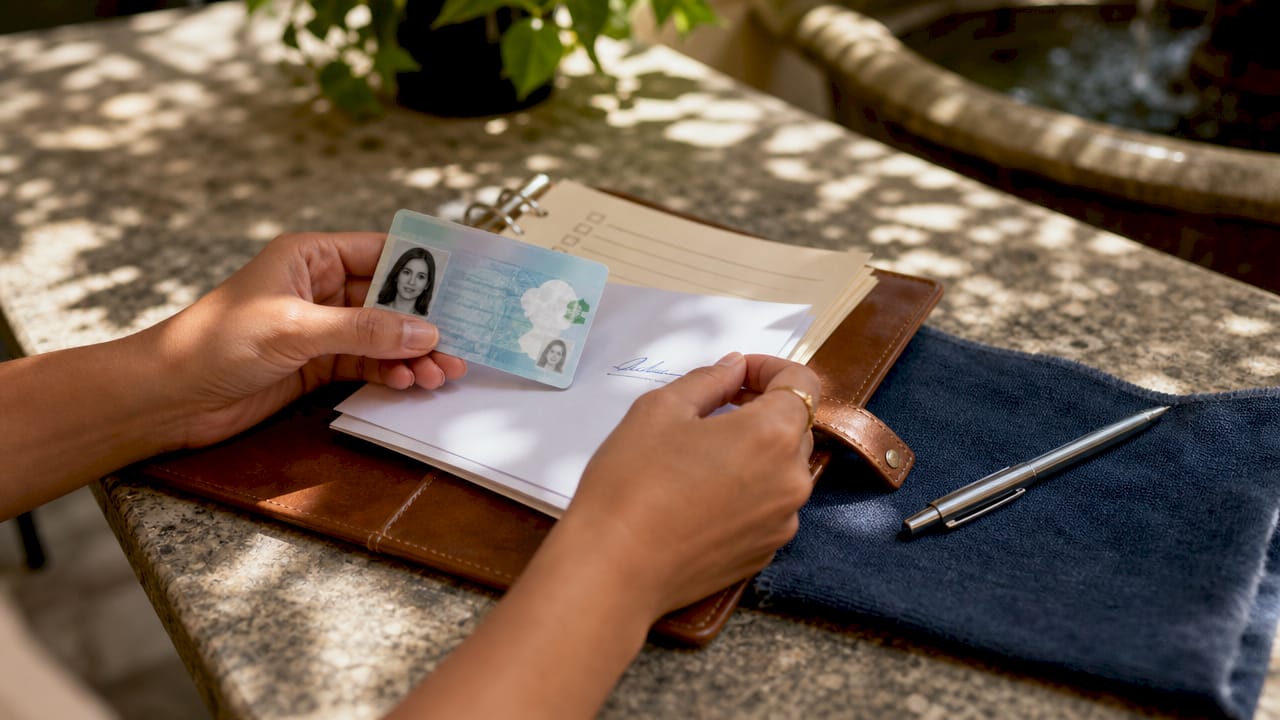
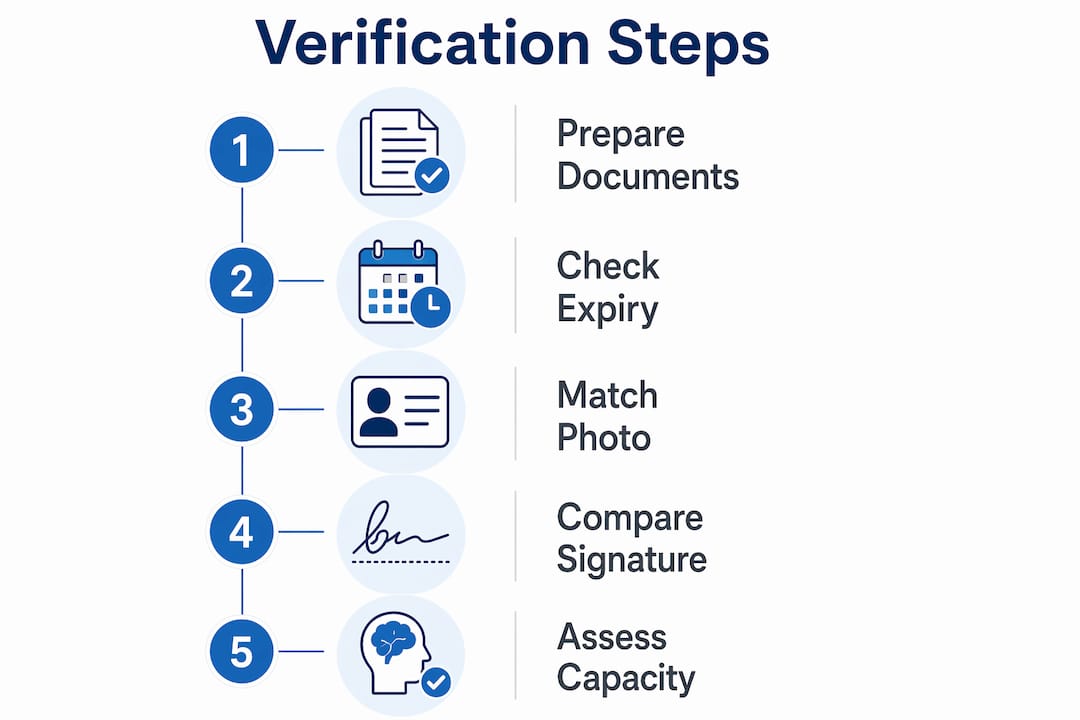
Request valid government-issued photo ID. Ask the signer to present their primary ID before any documents are reviewed. Do not accept photocopies or digital images of ID at this stage.
-
Check the expiration date and all printed details. Examine the front and back of the ID. Confirm the name, date of birth, photo, and serial number are all present and legible.
-
Compare the signer’s appearance to the ID photo. Look at facial structure, not just surface features like hair color or glasses. If the photo is more than ten years old, ask a clarifying question.
-
Request a journal signature and compare it to the ID. Comparing journal signatures with the ID signature is a step many novice notaries skip. Handwriting mismatches that visual inspection alone cannot catch become visible through this comparison.
-
Inspect ID security features. Hold the ID under different lighting angles. Look for holograms, microprinting, and raised text. Using a magnifying glass or blue light reveals security features and signals to the signer that fraud prevention is taken seriously.
-
Conduct a brief, casual conversation. Notaries must assess the signer’s mental capacity and voluntariness. Ask open questions about the document’s purpose. A signer who cannot explain what they are signing, or who appears coached or pressured, triggers a legal obligation to refuse.
Common mistakes to avoid: accepting expired IDs “just this once,” skipping the signature comparison, or rushing the conversation step because the signer seems impatient.
Pro Tip: If you suspect coercion, ask to speak with the signer privately for two minutes. A genuinely voluntary signer will have no objection. A coerced signer often cannot proceed without their companion present.
How does notary ID verification work for remote online notarization in Ontario?
Remote Online Notarization (RON) replaces physical ID inspection with technology-driven verification. The process is more structured than in-person verification, not less. Ontario’s digital notarization security depends on compliant verification protocols rather than visible seals or stamps.
RON platforms use two core verification tools:
- Credential analysis: The signer uploads a government-issued photo ID. The platform’s software scans the document for authenticity markers, including font consistency, security features, and data encoding.
- Knowledge-based authentication (KBA): The signer answers questions drawn from their credit history and public records. KBA requires the signer to be at least 18 years old and to have at least a 6-month credit history on file.
When KBA is not feasible, such as for new immigrants or individuals with thin credit files, platforms require a backup method. That backup is typically a live selfie comparison, where the signer holds their ID next to their face on camera while the notary observes in real time.
| Verification method | How it works | When it applies |
|---|---|---|
| Credential analysis | Software scans uploaded ID for authenticity | All RON sessions |
| Knowledge-based authentication | Signer answers credit-based questions | Signers with 6+ month credit history |
| Live selfie comparison | Signer holds ID next to face on video | KBA not feasible |
| Notary visual inspection | Notary observes signer live via video | All RON sessions |
For Ontario residents preparing for a remote session, the ID upload process follows specific formatting and file requirements. Submitting a blurry or cropped image of your ID is the single most common reason remote sessions are delayed.
What are common challenges in notary ID verification steps?
Every notary encounters difficult verification situations. Knowing how to handle them protects you legally and keeps the process moving.
Expired or nearly expired ID. An expired ID is not acceptable, regardless of how recently it expired. Direct the signer to renew their ID or bring a second valid piece of identification.
Name mismatches between ID and document. A signer whose legal name on their ID reads “Maria Elena Santos” but whose document reads “Maria Santos” presents a genuine problem. The notary’s authority is to require the document be corrected before proceeding. Accepting a near match creates legal exposure for the notary and may invalidate the document.
No acceptable ID available. If the signer cannot produce a qualifying ID, the notary may proceed using personal knowledge of the signer or by using a credible identifying witness. Both alternatives carry stricter documentation requirements and are used sparingly.
“Identification is not a mere formality but a legal investigative duty fundamental to preventing identity fraud.” — Legal Clarity
Suspected fraud or coercion. Notaries are legally obligated to refuse notarization when there is reasonable suspicion the signer is acting involuntarily or lacks mental capacity. Document the refusal in your notary journal with the date, time, and reason. Never explain your suspicion in detail to the signer or accompanying parties.
Pro Tip: Keep a written refusal log separate from your notary journal. If a refused signer later files a complaint, your contemporaneous notes are your strongest defense.
In-person ID, personal knowledge, or credible witness: which method fits your situation?
Ontario notaries have three legally recognized paths to confirming a signer’s identity. Each fits a different set of circumstances.
| Method | Required evidence | Best use case | Risk level |
|---|---|---|---|
| Government-issued photo ID | Valid, unexpired ID with photo, signature, serial number | Standard notarizations for individuals and businesses | Low |
| Personal knowledge | Notary’s direct, longstanding knowledge of the signer | Rural communities, repeat clients known personally | Medium |
| Credible identifying witness | Sworn statement from a known third party who identifies the signer | Signers without qualifying ID, elderly clients | Higher |
Personal knowledge is the most misunderstood method. It does not mean the notary has met the signer once or twice. It means the notary has known the signer well enough over time to vouch for their identity without documentation. Most Ontario notaries apply this standard conservatively.
The credible witness method adds a layer of complexity. The witness must personally know both the notary and the signer, or must present their own qualifying ID to the notary. The witness also takes on legal responsibility for the identification claim.
Pro Tip: When in doubt, default to government-issued ID verification. The other two methods are legal options, not shortcuts. Using them without clear justification creates liability that outlasts the notarization itself.
For a full breakdown of what Ontario requires for each document type, the notary identification requirements page at Theonlinenotary covers the current legal benchmarks in detail.
Key Takeaways
Proper notary ID verification in Ontario requires government-issued photo ID, a signature comparison, a capacity assessment, and strict name matching before any document can be legally notarized.
| Point | Details |
|---|---|
| Three verification methods exist | Physical ID, personal knowledge, and credible witnesses are all legally recognized in Ontario. |
| IDs must meet four criteria | Acceptable IDs must be unexpired, include a photo, physical description, and a unique serial number. |
| Signature comparison is critical | Comparing journal and ID signatures catches fraud that visual inspection alone misses. |
| RON uses credential analysis and KBA | Remote sessions require software-based ID scanning and credit-history questions, with live selfie as backup. |
| Name mismatches require correction | Notaries must demand exact name matches and have authority to refuse until discrepancies are resolved. |
Why thoroughness beats speed every time in ID verification
The most persistent misconception I encounter is that notarization is a quick stamp-and-sign transaction. Clients frequently mistake notarization for instant service. That expectation creates pressure on notaries to rush the one step that cannot be rushed: identity verification.
The verification step is where fraud gets stopped. A notary who skips the signature comparison or accepts a name mismatch to save five minutes is not being efficient. They are transferring legal risk onto themselves and potentially enabling document fraud that harms the signer, the recipient, or both.
Technology has changed the tools but not the standard. Modern document verification relies on digital audit trails and commission registries, not just physical seals. That shift makes the identity verification step more important, not less, because the audit trail starts with the notary’s judgment call on the signer’s identity.
My strongest advice for anyone preparing for notarization in Ontario: bring your best ID, bring a backup, and arrive knowing the name on your document matches your ID exactly. That preparation eliminates the most common delays before they start. For notaries, the investment in a blue light and a magnifying glass is trivial compared to the liability it prevents.
— Ken
Theonlinenotary makes your notarization process straightforward
Ontario residents and businesses can complete their notarization entirely online, without scheduling in-person appointments or traveling across the city. Theonlinenotary provides secure, 24/7 online notary services for affidavits, statutory declarations, solemn declarations, invitation letters, and more, with ID verification built into every session.

The platform handles Ontario-specific ID requirements directly, guiding you through credential upload, live video verification, and document signing in one session. If you want to know exactly what to prepare before your appointment, the step-by-step preparation guide at Theonlinenotary covers every requirement in plain language. Book your session any time, from anywhere in Ontario.
FAQ
What ID is accepted for notarization in Ontario?
Ontario notaries accept valid government-issued photo IDs including a driver’s license, Canadian passport, provincial photo ID card, and Permanent Resident Card. The ID must be unexpired and include a photo, physical description, and unique serial number.
Can a notary refuse to notarize if my ID has a name mismatch?
Yes. Notaries have the authority and obligation to refuse notarization when the name on the ID does not exactly match the name on the document. The signer must correct the document or provide a matching ID before the notary can proceed.
How does remote notarization verify my identity in Ontario?
Remote Online Notarization uses credential analysis software to scan your uploaded ID and knowledge-based authentication questions drawn from your credit history. If KBA is not available, a live selfie comparison with the notary on video serves as the backup method.
What happens if I do not have a qualifying ID for notarization?
A notary may use personal knowledge of the signer or a credible identifying witness as alternative verification methods. Both alternatives carry stricter documentation requirements and are used only when government-issued ID is genuinely unavailable.
Can a notary assess my mental capacity during verification?
Yes. Notaries are legally required to assess the signer’s mental capacity and voluntariness, typically through a brief conversation about the document. If the notary has reasonable suspicion of coercion or incapacity, they must refuse the notarization.