Easily Notarize Online Notary Services in Ontario
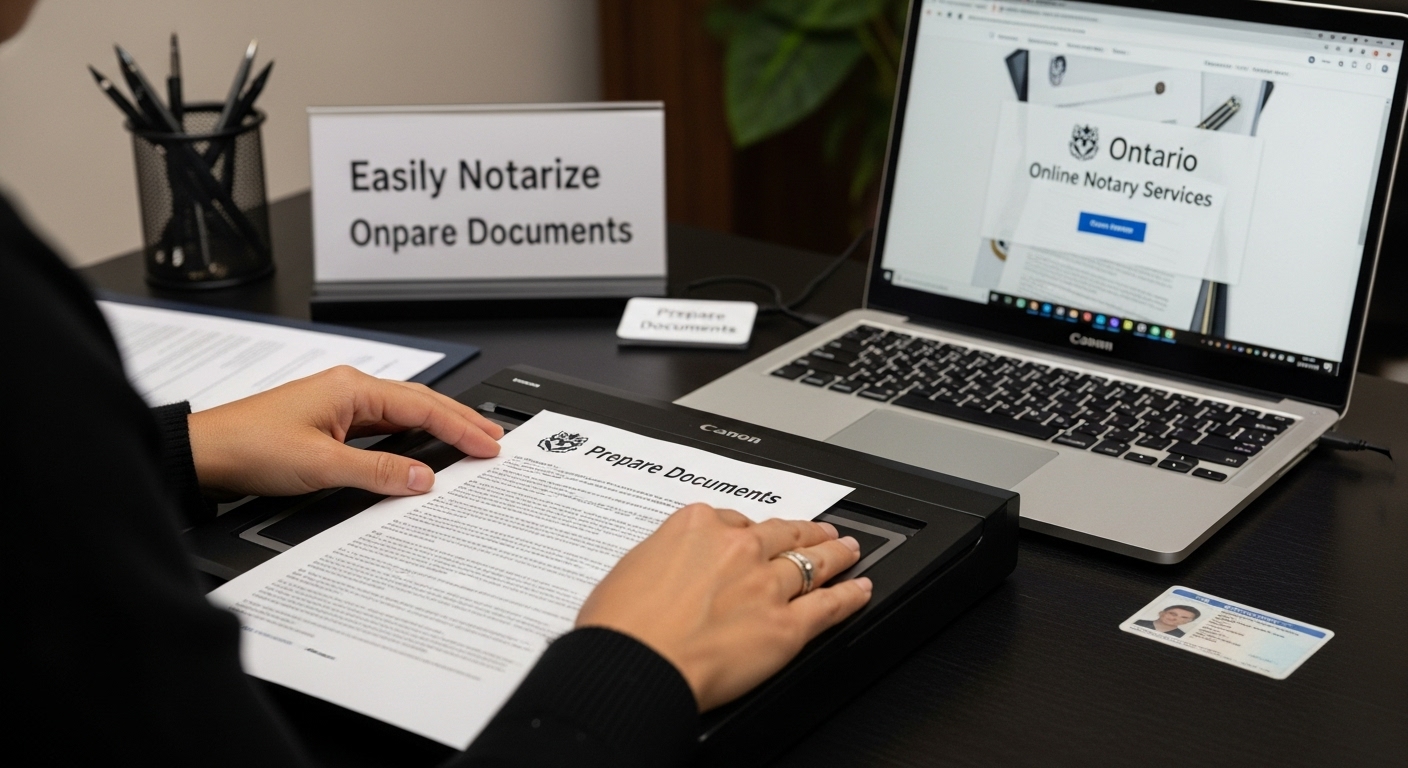
Getting documents notarized in Ontario used to mean booking appointments and waiting in crowded offices. But over 80 percent of notarizations in Ontario can now be done completely online from your own home. The surprise is that skipping the line is just the start. Online notarization can actually make your documents safer and easier to verify than traditional ink-and-paper methods.
Table of Contents
- Step 1: Prepare Your Documents For Online Notarization
- Step 2: Choose A Trusted Online Notary Service
- Step 3: Create An Account And Upload Your Documents
- Step 4: Complete The Notarization Process Online
- Step 5: Verify The Notarization And Download Your Documents
Quick Summary
| Key Point | Explanation |
|---|---|
| 1. Gather Required Documentation | Ensure all documents are complete, legible, and original to avoid delays. |
| 2. Choose a Trusted Online Notary | Research licensed services in Ontario to ensure legal compliance and security. |
| 3. Create an Account Securely | Use a valid email and strong password while completing identity verification thoroughly. |
| 4. Prepare for Virtual Notarization | Ensure a stable internet connection and a quiet environment for your appointment. |
| 5. Verify and Download Notarized Documents | Check for accuracy post-notarization and securely store digital backups. |
Step 1: Prepare Your Documents for Online Notarization
Preparing your documents correctly is the foundation of a smooth online notarization process. Before you begin, understand that proper document preparation ensures legal validity and reduces potential delays or rejections. Your goal in this initial step is to gather, organize, and verify all necessary paperwork to facilitate a seamless online notarization experience.
Identifying Required Documentation
Start by carefully reviewing the specific documents you need notarized. In Ontario, common documents requiring notarization include affidavits, statutory declarations, invitation letters, and legal agreements. Each document must be complete, legible, and in its original form. Partial or unclear documents will be rejected during the online notarization process.
Collect all original documents and ensure they are high-quality digital scans or clear photographs. Use a scanner or smartphone with a high-resolution camera to capture the entire document without any cut-off edges or shadows. Avoid handwritten documents unless specifically permitted by the notary service. Digital clarity is crucial for verifying document authenticity.
Document Verification and Preparation
Before uploading, carefully review each document for completeness. Check that all fields are filled out, signatures are present where required, and no critical information is missing. If you are unsure about document requirements, contact the online notary service directly. Some documents might need additional supporting materials or specific formatting.
Organize your documents in a single digital folder, with clear file names that indicate the document type and purpose. For instance, “StatutoryDeclaration_2024.pdf” is more helpful than a generic “document1.pdf”. Ensure all files are in PDF format for the most reliable submission. Most online notary platforms prefer PDFs as they preserve document formatting and are difficult to alter.
Finally, prepare a valid government-issued photo identification that you will use during the online verification process. This could be a driver’s license, passport, or provincial ID. The identification must be current and match the name on your documents exactly. Check out our guide on online notarization for more detailed insights into document preparation and verification.
Step 2: Choose a Trusted Online Notary Service
Selecting the right online notary service is a critical step in ensuring your documents are legally authenticated and processed efficiently. Your choice will impact the entire notarization experience, so careful consideration is essential. The goal is to find a service that combines legal compliance, technological reliability, and professional expertise.
Evaluating Online Notary Service Credentials
Start by researching Ontario-based online notary services with proven track records. Look for services specifically licensed to operate in Ontario, as provincial regulations can vary significantly. A reputable online notary service should be transparent about their credentials, offering clear information about their legal authorization to perform notarizations electronically.
Pay close attention to the service’s security protocols. Verify that they use encrypted video conferencing platforms, secure document upload systems, and follow strict identity verification procedures. The best services will require government-issued photo identification and may use advanced digital verification technologies. Check for specific features like two-factor authentication, secure document storage, and compliance with Ontario’s legal standards for electronic notarization.
Comparing Service Features and Pricing
Not all online notary services are created equal. Some specialize in specific document types, while others offer broader services. Compare the range of documents each service can notarize, their turnaround times, and pricing structures. Some services charge per document, while others offer package deals for multiple notarizations. Pricing transparency is key - avoid services with hidden fees or complicated pricing models.
Consider the convenience factors that matter most to you. Do you need 24/7 availability? Are weekend or evening appointments important? Some online notary services offer flexible scheduling, allowing you to book appointments that fit your personal or professional timeline. Learn more about online notarization options in Canada to understand the full range of services available.
Before making a final decision, read customer reviews and testimonials. Look for feedback that speaks to the service’s reliability, professionalism, and customer support. A trusted online notary service should have a history of positive interactions and be willing to answer any questions you might have about the notarization process.
Contact their customer support with any specific concerns to gauge their responsiveness and expertise.
Step 3: Create an Account and Upload Your Documents
Creating an account and uploading your documents marks the transition from preparation to actual notarization. This step requires precision, attention to detail, and careful management of your digital documents. Your goal is to establish a secure online profile and prepare your documents for review by the notary service.
Account Creation and Identity Verification
Begin by navigating to the chosen online notary service’s website and locating their account registration process. You will need a valid email address and a strong, unique password. Most services require additional verification steps to ensure security. Prepare your government-issued photo identification, such as a driver’s license or passport, as you will need to upload a clear, high-resolution image during the registration process.
The account creation typically involves a multi-step verification process. You may be asked to provide personal information, including your full legal name, contact details, and potentially additional identification documents. Some services use advanced digital verification technologies to confirm your identity, which might include facial recognition or cross-referencing with government databases. Be prepared to complete these steps thoroughly and accurately.
Document Upload and Preparation
Once your account is created and verified, you will proceed to upload the documents you prepared in the first step. Most online notary platforms support PDF formats, so ensure your documents are converted to this file type if they are not already. Pay close attention to file size and quality requirements. Blurry or incomplete scans will be rejected, potentially delaying your notarization process.
Carefully review each document before upload. Check that all pages are included, signatures are visible, and no critical information is cut off or obscured. Some platforms allow you to preview and rotate documents before final submission. Take your time during this process to avoid errors that could require you to restart the entire upload.
Discover more about commissioning documents online in Ontario to understand the nuanced requirements of digital document submission. After uploading, most services will provide a confirmation email or dashboard notification indicating successful document receipt. Keep these confirmations for your records and as proof of submission. Some platforms also offer tracking features, allowing you to monitor the progress of your document verification and notarization.
Step 4: Complete the Notarization Process Online
The online notarization process represents the culmination of your document preparation and verification efforts. This critical step transforms your documents from personal papers to legally authenticated instruments. Your primary goal is to successfully complete a secure, legally binding video conference with a commissioned notary who will verify your identity and witness your signature.
Preparing for the Virtual Notarization Appointment
Ensure you have a stable internet connection and a quiet, well-lit environment before your scheduled appointment. Choose a location with a neutral background and minimal potential for interruptions. You will need your government-issued photo identification, original documents, and a device with a clear camera and microphone. Most online notary platforms recommend using a laptop or desktop computer for the best video quality, though tablets and newer smartphones can also work effectively.
During the appointment, the notary will conduct a thorough identity verification process. This typically involves comparing your live video image with your submitted identification, asking verification questions, and carefully reviewing the documents you intend to notarize. Be prepared to show your identification clearly on camera and answer personal identification questions accurately. The notary has the legal right to terminate the session if they cannot confirm your identity or sense any potential fraud.
Completing Document Signing and Authentication
Once your identity is confirmed, the notary will guide you through the document signing process. They will walk you through each document, ensuring you understand the contents and are signing voluntarily. You will likely be asked to initial each page and sign the final page in the notary’s virtual presence.
 Some platforms use advanced electronic signature technologies that create a secure, timestamped record of your signature.
Learn more about the comprehensive online notarization process in Ontario to understand the nuanced legal requirements. After signing, the notary will complete their portion of the documentation, adding their official digital seal or stamp. You will typically receive a fully executed digital copy of your notarized documents via secure email or through the platform’s document management system.
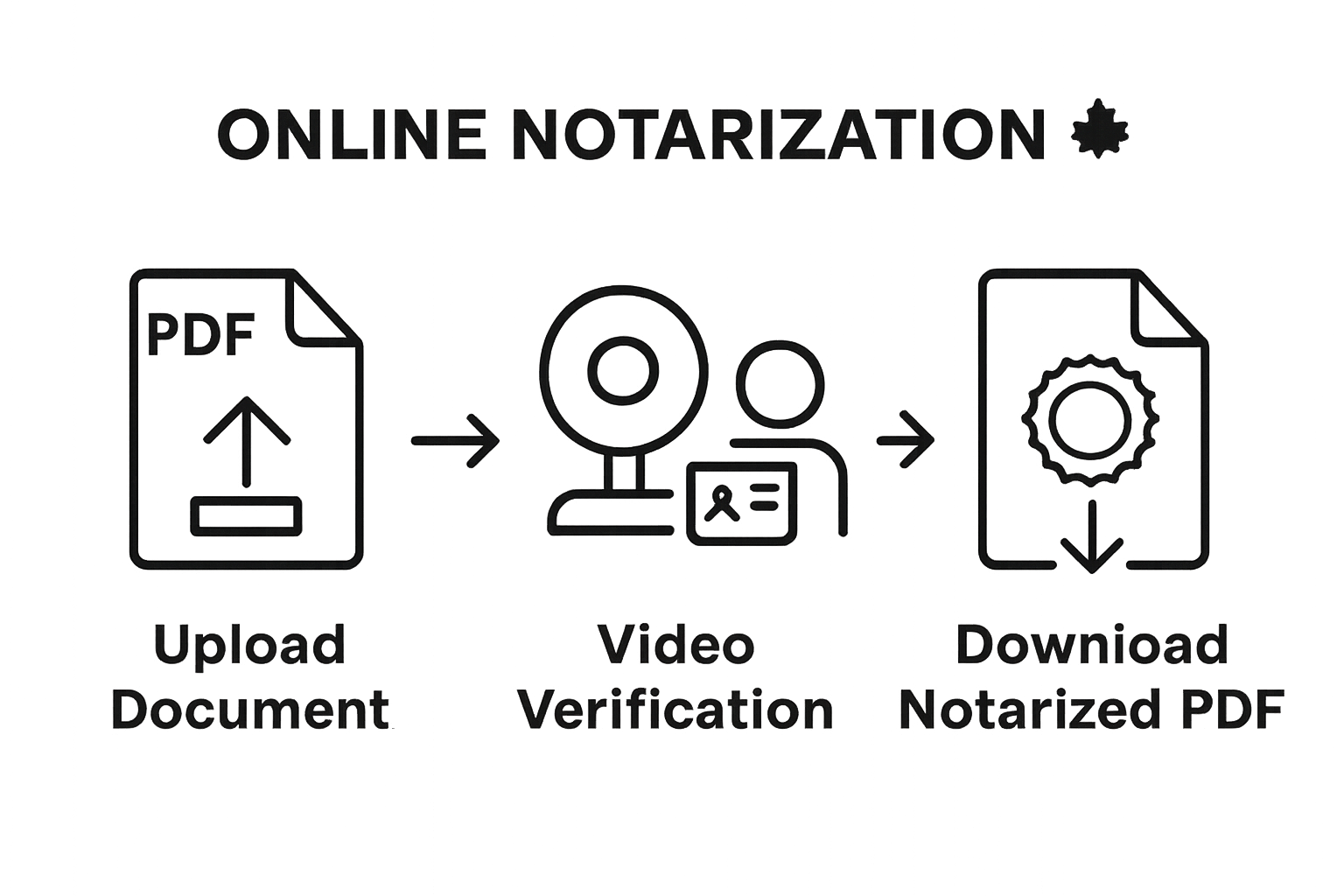 Retain these documents carefully, as they are now legally authenticated instruments that can be used for official purposes.
Step 5: Verify the Notarization and Download Your Documents
The final stage of online notarization involves carefully verifying the authenticity of your documents and securely downloading the officially notarized files. This crucial step ensures that your documents are legally valid and ready for their intended purpose. Attention to detail is paramount to guarantee the notarization meets all legal requirements.
Checking Document Authenticity
Immediately review each notarized document for completeness and accuracy. Examine every page to confirm the notary’s digital seal, signature, and timestamp are present and clearly visible. Pay special attention to the notarial certificate, which should include specific details such as the date of notarization, the notary’s official identification number, and a comprehensive description of the verification process completed during your online session.
Look for key indicators of a legitimate notarization. The digital document should have a unique identifier or verification code, which you can often cross-reference with the notary service’s verification system. Some online platforms provide an additional verification portal where you can confirm the document’s authenticity by entering a specific code or scanning a QR code included in the notarized document.
Downloading and Storing Notarized Documents
Most online notary services provide multiple download options for your notarized documents. Choose a secure method that allows you to save multiple copies. Create at least two backup copies in different secure locations. Recommended storage methods include an encrypted external hard drive, a secure cloud storage service, and a password-protected local computer folder.
Explore comprehensive details about document verification in Ontario to understand the nuanced requirements of document authentication. After downloading, consider creating a physical backup by printing high-quality copies on archival-grade paper. Store these physical copies in a fireproof and waterproof document safe or safety deposit box.
Pay attention to the file format of your downloaded documents. PDF is typically the most universally accepted format for legally notarized documents. Ensure the PDF maintains its original formatting and includes all necessary seals and signatures. Some institutions may require a certified true copy, so check with the specific organization where you will be submitting these documents about their exact requirements.
Below is a checklist to help you verify your notarized documents and ensure they meet all legal requirements before downloading and storing them.
| Verification Step | What to Check | Why It Matters |
|---|---|---|
| Notary Seal & Signature | Ensure the digital seal, signature, and timestamp are clear | Confirms authenticity and validity |
| Notarial Certificate | Check for date, notary ID number, and verification details | Legal proof of notarization process |
| Unique Identifier/Code | Look for a verification or QR code | Allows independent confirmation of document legitimacy |
| Completeness of Document | Review every page for missing info or cut-off text | Prevents rejection due to incomplete records |
| File Format and Integrity | Verify PDF format and preservation of formatting | Ensures universal acceptance and prevents tampering |
| Backups Created | Make at least two secure digital and/or physical backups | Protects against data loss or document unavailability |
Secure Your Online Notarization in Ontario—Fast, Simple, Reliable
Feeling anxious about gathering your documents or unsure which steps guarantee a legally notarized record? Many Ontarians face delays, confusion, and the risk of rejection if even one detail is missed during the online notarization process. You should not have to worry about blurry scans, unclear requirements, or whether your personal information stays safe. Our service addresses these pain points directly, helping you reliably prepare affidavits, statutory declarations, invitation letters, and more—all without stress or wasted time. Turn uncertainty into peace of mind in just a few clicks.
Take the guesswork out of your next online notary appointment. Discover how easy and secure it is to notarize your documents with theonlinenotary.ca. Get started now and be confident your documents will meet every Ontario legal standard. If you want to learn more about the end-to-end process, including tips for document preparation, visit our guide to online notarization in Ontario. Your hassle-free notarization experience begins today.
Frequently Asked Questions
What documents do I need for online notarization?
You need original documents that are complete and legible, such as affidavits, statutory declarations, and legal agreements. Ensure you also have a valid government-issued photo ID for identification verification.
How do I choose a reliable online notary service?
Look for online notary services with proven credentials, licensed to operate in your jurisdiction. Check for security features, document handling capabilities, pricing transparency, and customer reviews to ensure reliability.
What should I expect during the virtual notarization appointment?
During the appointment, the notary will verify your identity, review your documents, and guide you through the signing process. You will need to present your ID and may be asked to answer personal questions for verification.
How can I verify the authenticity of my notarized documents?
After notarization, review your documents for the notary’s seal and signature. Many online services provide a verification code or a QR code that you can use to confirm document validity through their platform.
Recommended
- Notarize Online in Canada - The Online Notary CA
- Why Opt for an Online Notary in Ontario - The Online Notary CA
- What is an Online Notary? - The Online Notary CA
- Everything You Need to Know About Online Notarization in Ontario: Fast, Legal, and Convenient for Affidavits and Declarations (2025) - The Online Notary CA