How to Notarize Online in Ontario: A Step-by-Step Guide

Getting documents notarized in Ontario used to mean making appointments, waiting in line, and juggling paperwork at a busy office. Online notary services promise something entirely different. But even with this digital convenience, most people miss that virtual notarization in Ontario has strict legal limitations right now. That changes everything you thought you knew about getting your documents notarized online.
Table of Contents
- Step 1: Choose A Reliable Online Notary Service
- Step 2: Prepare Your Documents For Notarization
- Step 3: Create Your Account And Upload Your Documents
- Step 4: Schedule Your Online Notary Appointment
- Step 5: Complete The Notarization Session
- Step 6: Save And Verify Your Notarized Documents
Quick Summary
| Key Point | Explanation |
|---|---|
| 1. Choose a reliable online notary service | Select a service that complies with Ontario regulations and provides secure document handling. |
| 2. Prepare documents for notarization | Ensure all documents are complete, accurate, and organized to prevent delays in the notarization process. |
| 3. Create your online account carefully | Provide accurate personal information and high-quality document images for successful uploads. |
| 4. Schedule your notary appointment strategically | Choose a convenient time and ensure your technology is ready for a smooth virtual meeting. |
| 5. Securely save and verify your notarized documents | Back up your notarized files digitally and physically to protect against loss or damage. |
Step 1: Choose a Reliable Online Notary Service
Selecting the right online notary service is crucial for ensuring your documents are processed legally and securely in Ontario. While traditional in-person notarization remains standard, understanding the nuances of online notary services will help you navigate this complex landscape effectively.
Understanding Online Notary Requirements
In Ontario, virtual notarization currently has specific legal limitations. According to the Law Society of Ontario, remote notarization is not fully permitted without specific regulatory frameworks. This means you’ll need to carefully evaluate services that can provide compliant document authentication.
When choosing an online notary service, prioritize platforms that demonstrate clear understanding of Ontario’s legal requirements. Look for services that offer transparent processes and can guide you through document verification. Key criteria for selection include:
- Verifiable professional credentials
- Clear understanding of Ontario notarization regulations
- Secure document transmission protocols
- Transparent pricing structure
- Customer support availability
Do not simply select the first service you encounter. Research multiple providers and compare their offerings. Some online services can help you commission documents online in Ontario, even with current regulatory constraints.
Careful preparation and thorough verification will ensure your notarization process moves smoothly. Confirm the service’s specific capabilities for your document type, whether it’s an affidavit, statutory declaration, or invitation letter. Reputable services will provide clear guidance on document requirements and authentication procedures specific to Ontario’s legal framework.
Step 2: Prepare Your Documents for Notarization
Preparing your documents correctly is a critical step in the online notarization process. Proper preparation ensures smooth authentication and prevents potential delays or rejections. Gathering and organizing your paperwork methodically will save you time and reduce potential complications.
Document Verification and Organization
Before submitting any documents, carefully review each page for completeness and accuracy. According to the Ontario Ministry of the Attorney General, documents must be fully completed with all necessary sections filled out. This means checking that all signature lines are appropriately marked, dates are current, and no critical information is missing.
Start by creating a digital folder containing high-quality scans or clear photographs of your documents. Recommended document preparation steps include:
- Ensure all pages are legible and free from smudges or marks
- Verify that all required signatures are present
- Check that document dates are current and valid
- Confirm personal information matches official identification
If you need additional guidance on preparing documents for online processing, learn more about our online notary services to understand specific requirements. Some documents may need extra attention, such as affidavits requiring witness signatures or statutory declarations with specific formatting requirements.
Pay special attention to identification documents that will accompany your notarization request. Have digital copies of government issued photo identification ready, ensuring they are clear, current, and match the information on your primary documents. This proactive approach minimizes potential verification challenges and streamlines the entire notarization process.
Below is a checklist table to help you prepare your documents and identification for online notarization in Ontario.
| Preparation Step | What to Do | Why It Matters |
|---|---|---|
| Review all document pages | Check for completeness and accuracy | Prevents delays or rejection due to missing information |
| Ensure legibility | Scan all pages clearly with no marks or smudges | Required for notary verification and legal acceptance |
| Verify signatures | Confirm all required signatures are present | Aids in authentication and validity |
| Check document dates | Make sure dates are current and correct | Ensures documents are accepted as valid |
| Match personal info | Verify personal details match your ID | Helps with identity verification and prevents issues |
| Prepare government ID | Have digital copies of current photo ID ready | Required for online identity verification |
| Organize documents | Store all files in a dedicated digital folder | Streamlines upload and submission process |
Step 3: Create Your Account and Upload Your Documents
Creating an online account and uploading your documents marks a pivotal stage in the digital notarization process. This step transforms your carefully prepared paperwork into an officially processable submission. Understanding the nuances of account creation and document upload will ensure a smooth experience.
Navigating the Digital Submission Process
Account creation requires precision and attention to detail. Begin by selecting a reputable online notary platform that specializes in Ontario document authentication. You will need to provide accurate personal information that matches your official identification. This typically involves entering your full legal name, contact details, and creating a secure password.
When uploading documents, image quality and clarity are paramount. Use a high-resolution scanner or smartphone camera to capture clear, legible copies. Each document should be a sharp, full-page image with no cut-off edges or shadows. Critical upload considerations include:
- Scan documents at minimum 300 dpi resolution
- Ensure complete page visibility
- Use PDF or high-quality image formats
- Remove any background clutter
- Check file size meets platform requirements
As you progress through the upload process, learn more about online notary services to understand potential nuances. Most platforms will require you to verify your identity through additional steps such as providing government issued photo identification or completing an online verification process.
Carefully review all uploaded documents before final submission. Confirm that file names are clear and descriptive, making it easy for the notary to understand the nature of each document. A methodical approach here prevents potential delays and ensures a streamlined notarization experience.

Step 4: Schedule Your Online Notary Appointment
Scheduling your online notary appointment represents a critical transition point in your document authentication journey. This step transforms your prepared documents into an officially verified submission by connecting you with a professional notary who will review and validate your paperwork.
Navigating the Appointment Booking Process
Selecting the right time and platform for your notary appointment requires strategic planning. Most online notary services offer flexible scheduling options that accommodate various time zones and personal availability. When initiating the booking process, you will need to review available time slots that align with both the notary’s schedule and your personal commitments.
Prepare yourself for a digital interaction that mirrors traditional in-person notarization. Recommended preparation steps include:
- Confirm your internet connection is stable
- Have all digital documents readily accessible
- Prepare government issued photo identification
- Choose a quiet, well-lit space for the virtual meeting
- Test your camera and microphone beforehand
Accurately completing the scheduling process means providing precise personal information and selecting a time slot that allows you sufficient preparation. Some platforms might require additional verification steps to confirm your identity and document authenticity. Explore our comprehensive online notarization services to understand the specific requirements for your document type.
Remember that the appointment scheduling is more than just selecting a time. It is an opportunity to ensure all your documentation is perfectly positioned for successful notarization. Double-check your uploaded documents, verify your personal details, and approach the upcoming virtual meeting with confidence and thorough preparation.
Step 5: Complete the Notarization Session
The notarization session represents the critical moment where your documents receive official authentication. This virtual interaction transforms your prepared paperwork into legally recognized documentation through a professional verification process. Approaching the session with confidence and preparedness ensures a smooth and successful experience.
Navigating the Virtual Notarization Process
Expect a professional and structured virtual interaction that mirrors traditional in-person notarization. According to Ontario Regulation 431/20, remote notarization requires real-time audio-visual communication, meaning you will engage directly with a certified notary through a secure digital platform.
Crucial steps during the notarization session include:
- Present government issued photo identification
- Verbally confirm document contents
- Allow the notary to review all submitted materials
- Answer any verification questions precisely
- Follow the notary’s specific instructions carefully
Prepare your digital environment to facilitate a professional interaction. Ensure your camera provides clear visibility, your microphone transmits sound clearly, and your background appears neat and distraction-free. Learn more about online notary processes to understand the nuanced requirements of digital document authentication.
The notary will guide you through each verification step, potentially requesting additional information or clarification about your documents. Stay calm, speak clearly, and be prepared to provide any supplementary details that might help expedite the authentication process. Once all documents are thoroughly reviewed and verified, the notary will complete the official notarization, providing you with a digitally authenticated document ready for your intended use.
Step 6: Save and Verify Your Notarized Documents
After completing the notarization process, safeguarding and verifying your authenticated documents becomes paramount. This final step ensures the long-term integrity and accessibility of your legally verified paperwork, protecting your important records from potential loss or damage.
Protecting Your Notarized Documentation
Digital preservation requires strategic and deliberate action. Immediately after receiving your notarized documents, create multiple secure backup methods. This means generating at least two distinct digital copies stored in different locations. Consider saving one copy to a cloud storage service with robust encryption and another to a personal external hard drive or secure local storage system.
Critical document preservation strategies include:
- Create high-resolution PDF scans
- Save documents in multiple file formats
- Use descriptive file names for easy identification
- Enable password protection for sensitive files
- Maintain a secure digital filing system
Carefully examine each page of your notarized document to confirm the notary’s official seal, signature, and authentication marks are clearly visible and unaltered. Explore our comprehensive guide on online notary services to understand the nuanced requirements of document preservation.
Remember that physical copies can complement your digital records. Consider printing a high-quality version on archival paper and storing it in a fireproof document safe or safety deposit box. This multi-layered approach ensures you have reliable access to your important notarized documents, regardless of potential technological or physical challenges that might arise in the future.
Notarize Your Ontario Documents Online—Fast, Secure, and Reliable
Struggling with confusing regulations and worried about rejected documents or delays? Let your frustration end here. If you need affidavits, invitation letters, statutory declarations, or solemn declarations notarized without the guesswork, our service is designed for you. We understand every detail of Ontario’s online notary requirements and guide you each step of the way.
Don’t risk making a costly error with your legal paperwork—choose a trusted partner that takes compliance seriously. Whether you want to know more about online notary services or are ready to start, we offer secure uploads, transparent pricing, and personalized support. Visit theonlinentoary.ca now to protect your documents, speed up the notarization process, and gain the peace of mind you deserve. Your legal documents—and your future—should never wait.
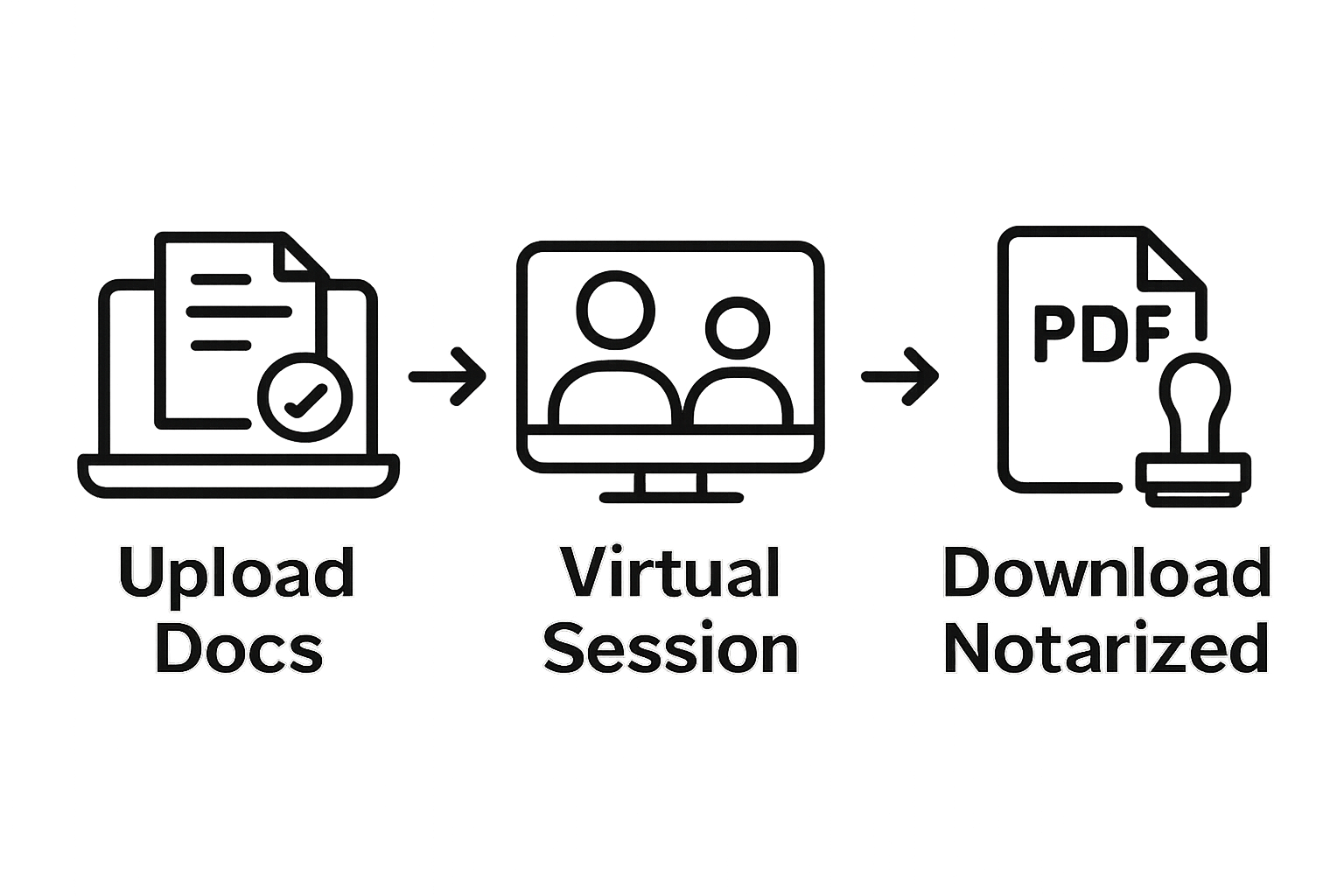
The following table summarizes the main steps to notarize documents online in Ontario, their purpose, and the key outcome at each stage.
| Step | Purpose | Key Outcome |
|---|---|---|
| Choose Online Notary Service | Ensure legal and secure processing | Select a compliant, trustworthy provider |
| Prepare Documents | Avoid errors and delays | Gather accurate, complete digital paperwork |
| Create Account & Upload | Enable submission and authentication | Account created; documents uploaded for review |
| Schedule Appointment | Arrange real-time virtual notarization | Convenient, confirmed time for notary session |
| Complete Notarization Session | Legally verify documents via video call | Receive officially notarized digital documents |
| Save & Verify Documents | Protect and access legal records | Secure, easily retrievable notarized documents |
Frequently Asked Questions
How do I choose a reliable online notary service?
Selecting the right online notary service involves looking for verifiable professional credentials, a clear understanding of your region’s notarization regulations, secure document transmission protocols, transparent pricing, and available customer support.
What documents do I need to prepare for online notarization?
You need to ensure that all necessary documents are complete with required signatures, valid dates, and accurate personal information. Additionally, prepare digital copies of government-issued photo identification to accompany your notarization request.
How do I schedule an online notary appointment?
To schedule an online notary appointment, select a reputable platform, review available time slots that fit your schedule, and confirm your digital environment setup (like internet connection and document accessibility) before booking your appointment.
What happens during the notarization session?
During the notarization session, you will present your identification, confirm the document contents, and answer any verification questions posed by the notary. The session is conducted via secure audio-visual communication, ensuring all steps are followed accurately.
Recommended
- What is an Online Notary? - The Online Notary CA
- Notarize Online in Canada - The Online Notary CA
- Everything You Need to Know About Online Notarization in Ontario: Fast, Legal, and Convenient for Affidavits and Declarations (2025) - The Online Notary CA
- Why Opt for an Online Notary in Ontario - The Online Notary CA