How to notarize documents online in Ontario: Step-by-step

TL;DR:
- Online notarization in Ontario mainly permits remote commissioning of affidavits and statutory declarations.
- It requires real-time video verification, government ID, and includes a modified jurat with location details.
- This process improves access, especially for rural residents or those with mobility or time constraints.
Getting a statutory declaration or affidavit notarized used to mean blocking off half your day. You would schedule an appointment, drive to an office, wait your turn, and then scramble back to work. If you were in a rural area or had a tight deadline, that process could stretch into days. Online notary services in Ontario have changed this entirely. You can now complete remote commissioning from your kitchen table using a smartphone or laptop. This guide walks you through exactly what qualifies, what you need, how the process works, and what to expect when it’s done.
Table of Contents
- What is online notarization in Ontario?
- Requirements and tech setup for online notary services
- Step-by-step: How to notarize affidavits and statutory declarations online
- Pricing, turnaround, and what to expect after notarization
- Why online notarization is reshaping legal document workflows in Ontario
- Ready to notarize your documents online in Ontario?
- Frequently asked questions
Key Takeaways
| Point | Details |
|---|---|
| Remote commissioning applies only to affidavits and declarations | Ontario law allows online notarization for specific document types, not all legal paperwork. |
| Real-time video and valid ID are mandatory | You must present government-issued photo identification during a live audio-visual session. |
| Same-day service is widely available | Most providers deliver your commissioned documents digitally within hours. |
| Confirm recipient acceptance beforehand | Some organizations may not accept remotely commissioned documents, so always check policies first. |
| Typical fees range from $25 to $50 CAD | Pricing is straightforward with most remote notary platforms in Ontario. |
What is online notarization in Ontario?
Before you book a session, it’s important to understand what “online notarization” actually means in the Ontario legal context. The term is often used loosely, but the law draws a clear line between what can and cannot happen remotely.
In Ontario, online notarization legalities are more specific than most people realize. Under O. Reg. 431/20, Ontario permits remote commissioning of affidavits and statutory declarations only. Full notarization, which covers certified true copies, authentication of signatures on contracts, and other notarial acts, still requires physical presence under the Notaries Act. This is a critical distinction that catches many people off guard when they submit a document and find it rejected.
So what’s the practical difference? Think of it this way: if you need someone to swear under oath that the contents of a document are true, that’s a commissioning act. It can be done remotely. If you need someone to certify that a photocopy matches an original, that’s a notarial act and it must happen in person.
Here’s a side-by-side comparison to make this crystal clear:
| Document type | Can be done online? | Legal authority |
|---|---|---|
| Affidavit | Yes | O. Reg. 431/20 |
| Statutory declaration | Yes | O. Reg. 431/20 |
| Certified true copy | No | Notaries Act |
| Authenticated signature | No | Notaries Act |
| Solemn declaration | Yes | O. Reg. 431/20 |
Who typically uses online commissioning services? The answer is broader than you might expect:
- Individuals filing immigration applications who need affidavits of support or statutory declarations of marital status
- Students applying for OSAP who require income declarations sworn by a parent or guardian
- Employees preparing financial declarations for court proceedings
- Small business owners who need sworn statements for regulatory submissions
- Families preparing invitation letters or sponsorship declarations
For a broader look at what’s covered, the Ontario online notary guide offers a strong overview of eligible document types and platforms. The key takeaway: if your document involves swearing or affirming a statement is true, there’s a good chance online commissioning applies to you.
Requirements and tech setup for online notary services
Now that you know what can be notarized online, let’s make sure you’re equipped to use these services.
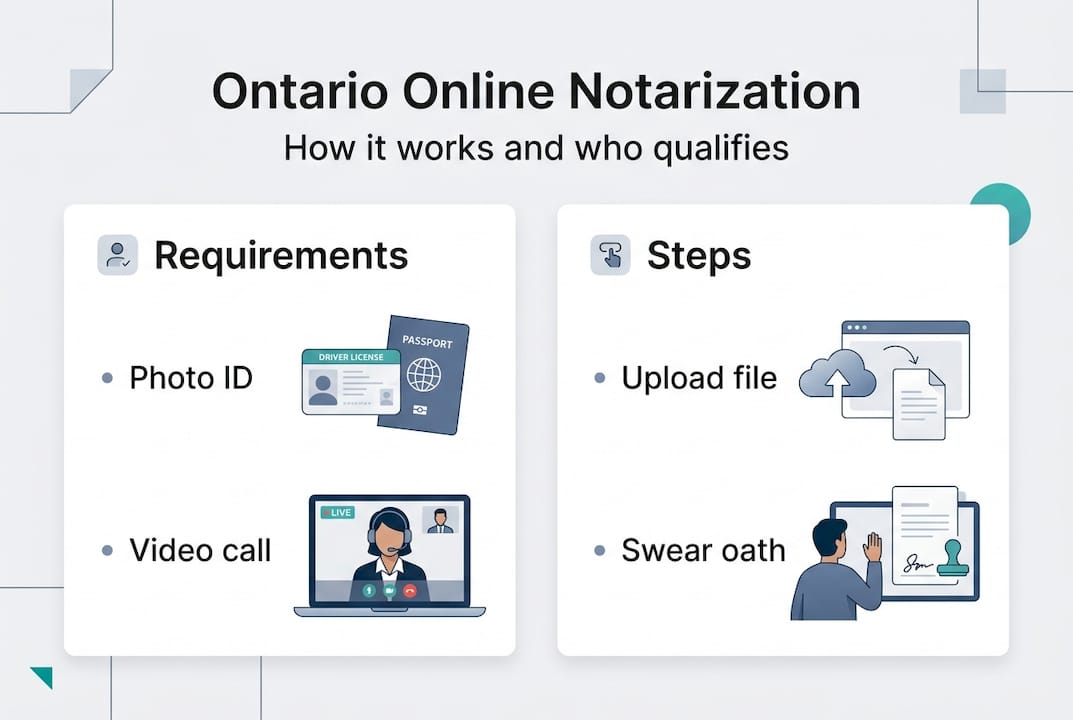
Walking into a remote commissioning session unprepared is one of the most common reasons people face delays. The requirements are simple, but each one is non-negotiable. O. Reg. 431/20 establishes that remote commissioning requires real-time audio-visual communication, identity verification with government-issued photo ID, a modified jurat noting the remote process and locations, and record-keeping by the commissioner.
Let’s break down each requirement with specifics:
| Requirement | Details |
|---|---|
| Photo ID | Driver’s license, passport, or provincial ID card |
| Video call | Live session with camera and microphone |
| Document format | PDF preferred; must include modified jurat |
| Locations noted | Both client location and commissioner location |
| Commissioner records | Session records kept by the notary |
The modified jurat is something many first-time users don’t expect. A standard jurat says something like “Sworn before me at [city], Ontario.” A remote jurat will include language indicating the oath was taken via electronic means, with both locations listed. If the platform you use doesn’t add this language, the document may not hold up under scrutiny.
Here’s what you need to have ready before your session:
- Working webcam and microphone: Most laptops have these built in. Test them before your appointment.
- Stable internet connection: A dropped connection mid-oath creates complications for everyone.
- Government-issued photo ID: The name on the ID must match the name on the document exactly.
- Your completed document: The document should be filled out and ready to review. Don’t show up with a blank form.
- PDF access: Most platforms will require you to upload your document in advance or share your screen.
For a detailed walkthrough of what the session looks like end to end, the Ontario online notary process page is worth reviewing before you book. And if you’re unsure whether your ID qualifies, check the ID requirements for notary resource for a full breakdown of acceptable documents.
Pro Tip: Test your video setup at least 15 minutes before your appointment. Open a video call app, check the camera angle, and make sure your face is well-lit. A dark or blurry image can slow down identity verification and delay your session.
Step-by-step: How to notarize affidavits and statutory declarations online
With your requirements in place, here’s exactly how to complete your remote notarization.
The process is more straightforward than most people expect, but the details matter. Here’s a step-by-step breakdown that covers everything from document prep to final delivery.
Step 1: Prepare your document
Before anything else, make sure your document is complete and accurate. Fill in all fields, double-check names and dates, and confirm the document type is eligible for remote commissioning. Save it as a PDF. If you’re notarizing documents online for the first time, read the platform’s document guidelines before uploading.

Step 2: Book your session
Most reputable Ontario platforms offer online booking. Choose a time slot that works for you. Some services, like TheOnlineNotary.ca, offer same-day availability, which is especially helpful when you have court or immigration deadlines. You’ll typically receive a confirmation email with a meeting link.
Step 3: Upload your document
Log in to the platform before your session starts and upload your PDF. Review it one more time to catch any errors. Changing a document after commissioning is not allowed, so accuracy at this stage saves significant trouble later.
Step 4: Attend the live video session
At your scheduled time, join the video call. The commissioner will verify your identity by asking you to hold up your government-issued photo ID to the camera. They’ll confirm the name, photo, and document details match.
Step 5: Swear or affirm the oath
The commissioner will ask you to swear or affirm that the contents of the document are true. You will state your oath aloud, on camera. This is the legally binding moment of the process.
Step 6: Receive your commissioned document
After the session, the commissioner applies the modified jurat and their electronic signature and seal. You’ll receive the final document via secure email, usually within hours.
“Online commissioning is suitable for individuals handling immigration applications, OSAP declarations, and court affidavits, as well as businesses managing financial declarations and proofs of various kinds. It saves time and eliminates travel, but always verify your tech setup and confirm recipient policies in advance.” See Notarize.ca pricing and use cases.
Common mistakes to watch for:
- Name mismatches: The name on your ID must match the document exactly. Even a middle name discrepancy can cause rejection.
- Incomplete documents: The commissioner cannot edit your document. Arrive with everything filled in.
- Format issues: Scanned photos sent as images rather than PDFs often cause platform compatibility problems.
- No jurat language: Confirm the final document includes the remote commissioning notation before sending it to a recipient.
For those managing more than one document, it’s worth reading about multiple document notarization to understand how sessions handle batches and what the cost structure looks like.
Pro Tip: If your recipient is a federal agency or a major bank, call ahead and confirm they accept remotely commissioned documents. This 5-minute step can prevent a costly back-and-forth.
Pricing, turnaround, and what to expect after notarization
Once your documents are notarized, here’s what you can expect regarding costs and outcomes.
Ontario’s online notary market has standardized fairly quickly, which is good news for consumers. Pricing benchmarks across major platforms show a range of $25 to $50 CAD for the first document, with additional documents typically costing $20 to $30 each. Same-day service is common across reputable providers.
Here’s how a few well-known Ontario providers compare:
| Provider | First document | Additional documents | Turnaround |
|---|---|---|---|
| TheOnlineNotary.ca | $40 to $44 CAD | $20 to $25 CAD | Same day |
| Notarize.ca | $36.99 CAD | $20 to $25 CAD | Same day |
| NotaryPro | $40.95 CAD | $20 to $30 CAD | Same day |
What affects pricing? A few factors can push costs up or down:
- Urgency: Rush services outside business hours may carry a small premium.
- Document complexity: Simple statutory declarations are typically priced at the lower end of the range.
- Volume: If you have three or more documents, some platforms offer reduced rates per additional item.
After your session, what actually happens next? Here’s the post-notarization checklist you should follow before sending the document to anyone:
- Review the jurat wording: Make sure the commissioner’s remote notation is included and both locations are named.
- Check the commissioner’s seal and signature: Both should appear clearly on the document.
- Confirm the document matches what you submitted: Names, dates, and content must be identical to what you swore to.
- Verify recipient acceptance: Check with banks, courts, or government agencies that they accept electronically commissioned documents before sending.
- Keep a copy: Store a copy of the commissioned document in a secure location. Requests for re-notarization are avoidable with good record-keeping.
For more details on what Ontario notary services cover and how different platforms approach delivery, that resource compares the main options clearly. And if you want a deeper look at how it works online, you’ll find a technical overview of the session flow there.
One practical note: most platforms deliver the final document via secure email as a digitally signed PDF. Some recipients, especially in legal or financial settings, may ask for a wet-signed original. If that’s a possibility for your situation, clarify the format before your session.
Why online notarization is reshaping legal document workflows in Ontario
Here’s an opinion you won’t hear from everyone: the biggest benefit of online notarization isn’t convenience. It’s access.
Before remote commissioning existed, getting an affidavit sworn in rural Ontario, or after business hours, or when you’re dealing with mobility limitations, was genuinely difficult. The legal system assumed everyone lived within driving distance of a commissioner’s office and had flexible working hours. That was always a flawed assumption, and it excluded real people from being able to meet legal obligations on time.
What remote commissioning under O. Reg. 431/20 has done is quietly redistribute access to something that was always supposed to be a public service. We hear from clients who are nurses finishing overnight shifts, caregivers who can’t leave the house, and newcomers to Ontario who are navigating immigration paperwork without a support network nearby. For all of them, being able to access online notary services from wherever they are isn’t a luxury. It’s what makes compliance possible.
The misconception we push back against most often is the idea that online commissioning is somehow less legitimate than in-person. It isn’t. The oath is real. The legal obligation is the same. The commissioner is qualified. What’s different is the delivery mechanism, and that’s a technology upgrade, not a legal shortcut.
The practical challenge we see most often? People assuming their recipient will automatically accept the document without checking first. Always verify recipient policy. That one step prevents the most frustrating outcomes.
Ready to notarize your documents online in Ontario?
If you’ve been putting off a sworn affidavit or statutory declaration because the traditional process felt like too much effort, you now have a clear, legal, and efficient alternative.

Start by exploring the full range of Ontario online notary services available through TheOnlineNotary.ca, where affidavits, statutory declarations, solemn declarations, and more are handled by qualified commissioners. Before your session, take a few minutes to prepare for your online notary appointment so everything goes smoothly. Not sure which document type you need? The guide to affidavit types in Ontario breaks down the most common categories so you go in with clarity and confidence.
Frequently asked questions
Can I notarize any document online in Ontario?
No. Only affidavits and statutory declarations can be remotely commissioned under O. Reg. 431/20. Full notarizations such as certified true copies require in-person procedures under the Notaries Act.
What ID do I need for remote online notary commissioning?
You must present a valid government-issued photo ID during the live video session. Acceptable ID includes a driver’s license, passport, or provincial photo ID card.
How much does online notary service typically cost in Ontario?
Most Ontario providers charge between $25 and $50 CAD for the first document and $20 to $30 for each additional one, according to current pricing data. Same-day service is standard across reputable platforms.
How quickly will I receive my commissioned document?
You will typically receive your commissioned document on the same day, via secure email, as confirmed by platform benchmarks across major Ontario providers.
What if the recipient won’t accept remotely commissioned documents?
Always confirm acceptance with the recipient before submitting. Some banks, courts, or government agencies still require in-person notarization, so verifying recipient policies in advance is an essential step.