How to notarize affidavits online in Ontario

TL;DR:
- Ontario Regulation 431/20 permits fully legal online affidavits via real-time audio-visual communication.
- Proper preparation and licensed providers ensure quick, valid notarization without in-person visits.
- Digital affidavits are accepted for courts, immigration, and business purposes, emphasizing regulated provider use.
Needing an affidavit notarized urgently is stressful enough without discovering that your local notary has a two-week wait list or that you’re unsure whether remote options are even legal. The good news: Ontario Regulation 431/20 under the Commissioners for Taking Affidavits Act explicitly permits oaths and declarations via real-time audio-visual communication, meaning you can get a fully legal, court-accepted affidavit notarized from your kitchen table. This guide walks you through exactly how to do it, what you need, and how to avoid the mistakes that cause costly delays.
Table of Contents
- Understanding online affidavit notarization in Ontario
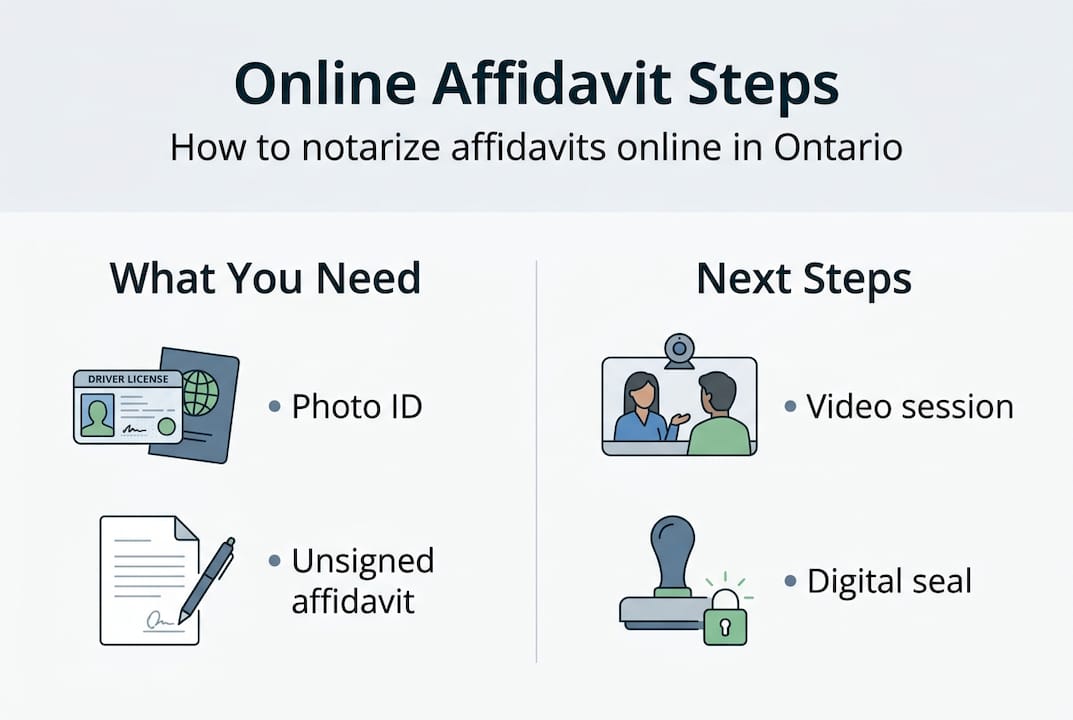
- What you’ll need: Checklist for online affidavit notarization
- Step-by-step: How to notarize your affidavit online
- Common mistakes and how to avoid them
- What happens after: Using your notarized online affidavit
- Why most people misunderstand online affidavit notarization—and what actually matters
- Get started with trusted online notary solutions in Ontario
- Frequently asked questions
Key Takeaways
| Point | Details |
|---|---|
| Online notarization is legal | Ontario residents and businesses can fully notarize affidavits online using approved video platforms. |
| Requirements checklist | You need a valid ID, good internet, and your unsigned affidavit ready for the online session. |
| Easy step-by-step process | Select a provider, join a video call, sign digitally, and receive your notarized PDF securely. |
| Common mistakes to avoid | Do not sign documents in advance and always double-check information before the session starts. |
| Digital affidavits are accepted | Secure digital affidavits can be used for most business or personal needs in Ontario, with paper copies available if needed. |
Understanding online affidavit notarization in Ontario
An affidavit is a written statement that a person swears or affirms to be true in the presence of an authorized official. Courts, government agencies, employers, and financial institutions routinely require them for everything from immigration applications to real estate transactions to estate matters. Traditionally, that meant scheduling an in-person appointment, traveling to a commissioner’s office, and waiting. Online notarization changes all of that.
The legal backbone for remote commissioning in Ontario is clear. Ontario Regulation 431/20 under the Commissioners for Taking Affidavits Act allows commissioners and notaries to administer oaths and take declarations through real-time audio-visual communication, without requiring the deponent (the person making the affidavit) to be physically present. This was introduced as a pandemic-era measure but has since become a permanent fixture of Ontario’s legal landscape, reflecting growing demand for accessible legal services.
Here’s what online affidavit notarization allows you to do in Ontario:
- Swear or affirm the contents of your affidavit over a secure video call
- Have your identity verified remotely using government-issued photo ID
- Sign the document digitally during the live session
- Receive a legally valid, digitally commissioned affidavit accepted by courts and agencies
The key phrase is real-time audio-visual communication. Pre-recorded video calls, asynchronous document submissions, or email-only interactions do not meet the regulatory standard. The notary and the deponent must see and hear each other simultaneously throughout the commissioning process.
Important: Only commissioners for taking affidavits, notaries public, and other officials authorized under Ontario law can legally commission affidavits remotely. Using an unlicensed individual or an unregulated platform could render your affidavit invalid.
Who benefits most from this option? Practically everyone. Individuals applying for OSAP, sponsoring a relative’s immigration, or dealing with estate paperwork can complete the process without taking time off work. Businesses that need CCDC statutory declarations, insurance-related affidavits, or compliance documents can have their authorized signatories commissioned quickly, often within 24 hours. If you want a deeper breakdown of what affidavit online in Ontario services look like in practice, that resource covers the full landscape.
What you’ll need: Checklist for online affidavit notarization
Having clarified what online affidavit notarization is, let’s make sure you’re fully equipped to begin. Walking into an online session underprepared is one of the fastest ways to have your session cancelled or your document rejected.
Here is everything you need before booking:
| Requirement | Details |
|---|---|
| Government-issued photo ID | Passport, driver’s license, or provincial ID card |
| Compatible device | Desktop, laptop, tablet, or smartphone with a working camera and microphone |
| Stable internet connection | Minimum 5 Mbps recommended for smooth video |
| Unsigned affidavit document | Must not be signed before the live session |
| PDF version of affidavit | Most providers require document upload in advance |
| Private, quiet location | Required for identity verification and oath-taking |
Let’s unpack a few of these in more detail.
Your ID must be government-issued and photo-bearing. A health card alone is typically not sufficient in Ontario because it does not display a photo (older versions). A valid passport is the gold standard because it is internationally recognized and reduces any ambiguity during identity verification. A driver’s license works for most providers. If your ID is expired, your session will be rejected, so check the expiry date before booking.

Your affidavit must arrive unsigned. This is non-negotiable. The entire legal purpose of commissioning is that the authorized official witnesses you taking the oath and signing the document in real time. If you sign beforehand, the document cannot be properly commissioned and may be flagged as fraudulent if submitted to a court or government body.
Your device and connection matter more than you might expect. A frozen video stream or audio dropout during the oath-taking moment can invalidate the session. Closing unnecessary browser tabs, using a wired connection where possible, and testing your camera and microphone before the session are practical steps that take five minutes and save you from rescheduling.
Pro Tip: Save your affidavit as a clearly named PDF (for example, “Smith_Affidavit_Immigration_2026.pdf”) before uploading. Providers can process clean, properly labeled documents significantly faster, and it reduces back-and-forth that delays your notarization.
For a full breakdown of all notary service requirements in Ontario, including which documents are accepted for different purposes, that page covers the specifics by document type.
Step-by-step: How to notarize your affidavit online
With your documents and tech ready, here’s how the online notarization process unfolds, step by step.
-
Choose a regulated Ontario online notary provider. Not all platforms operate under Ontario’s regulatory framework. Look for providers that explicitly state they operate under the Commissioners for Taking Affidavits Act and Ontario Regulation 431/20. Read reviews and check turnaround times.
-
Create an account and upload your unsigned affidavit. Most providers have a simple intake form asking for your name, contact details, the type of document, and its intended use. Upload your PDF at this stage.
-
Verify your identity. You’ll typically submit a photo of your government-issued ID before or at the start of the video session. Some providers use automated identity verification software; others have the notary review the ID live during the call.
-
Join the live video session. At the scheduled time, connect via the provider’s platform or a secure video tool. The notary will confirm your identity, review the document on screen, and walk you through the oath or affirmation.
-
Take the oath or affirmation. You will verbally swear or affirm that the contents of the affidavit are true. This is the legally critical moment. Answer clearly and do not rush.
-
Sign the document digitally. Once the oath is taken, you’ll apply your digital signature using the platform’s signing tool. The notary signs and applies their official seal in the same session.
-
Receive your notarized affidavit. Most providers deliver the completed document via secure email or a download link within minutes to a few hours of the session ending.
When choosing a provider, it helps to know the landscape. The NotaryPro platform holds a 4.9 out of 5 rating from over 7,000 reviews, which signals consistent service quality. The Online Notary has commissioned over 3,000 documents since 2021 and maintains a five-star service claim. Other established names in the Ontario space include Notarize.ca and CanadaNotary. Each serves both individuals (OSAP applications, immigration sponsorship, legal matters) and businesses (CCDC declarations, insurance filings, compliance documents).
| Provider | Rating/Volume | Turnaround | Best for |
|---|---|---|---|
| NotaryPro | 4.9/5, 7k+ reviews | Same day | Individuals and businesses |
| The Online Notary | 3k+ docs since 2021 | Within hours | Broad document types |
| Notarize.ca | Established platform | Flexible | Immigration and legal |
| CanadaNotary | Regional focus | Variable | Ontario-specific needs |
For a side-by-side look at how these services stack up on pricing, speed, and document support, you can compare online notary services in detail before making your decision.
Common mistakes and how to avoid them
Even with best intentions, small mistakes can derail the process. Here’s what to watch out for.
The most common error is presenting expired or unacceptable ID. A loyalty card, student card, or expired passport will not meet the standard. Some providers accept two pieces of ID as an alternative if your primary document has an issue, but this varies. Confirm the provider’s ID policy before your session, not during it.
Signing your affidavit before the session is the second most damaging mistake. It happens more often than you’d think, usually because someone misreads the instructions or assumes the notary just needs to see a signed copy. If the document arrives signed, a reputable notary will refuse to commission it. You’ll need a fresh, unsigned copy.
Poor internet or audio quality during the live session is a technical issue with real legal consequences. If the notary cannot clearly see your face, confirm your ID, or hear your oath, they cannot legally commission the document. Restart your router an hour before your session and test your connection using a free speed-check tool.
Watch out: For business filings specifically, the authorized signatory named in your corporate resolution must be the person appearing on the video call. Sending a different employee, even a senior one, without updated authorization documents can result in outright rejection of the affidavit by the receiving body.
Pro Tip: Read through your entire affidavit before the session starts. Notaries are not proofreaders. If there’s a factual error, a misspelled name, or a wrong date in the document, you cannot fix it during the session. You’ll need to end the call, correct the document, and rebook.
For businesses navigating more complex requirements, a detailed guide to online notary services for businesses covers CCDC declarations, insurance affidavits, and corporate compliance documents with step-by-step instructions tailored to organizational needs.
Established platforms with thousands of completed commissions, like those showing strong Trustpilot review volume, have built-in client guidance to reduce these errors, but the responsibility ultimately lies with you to arrive prepared.
What happens after: Using your notarized online affidavit
Once your affidavit is notarized online, here’s how to get the most out of your document.
Most Ontario online notary providers deliver your completed affidavit as a secure PDF within the same business day, often within a few hours of the session. The document will carry the notary’s digital seal, signature, and commission details, making it fully verifiable by any receiving party.
Here’s how to handle your notarized affidavit effectively:
- Store it in a secure, backed-up location. Save a copy in cloud storage (a password-protected Google Drive or OneDrive folder, for example) and a local backup. Losing the only copy of a notarized affidavit means starting over.
- Send it exactly as delivered. Do not print and rescan, edit, or alter the PDF in any way. Modifications after the fact can render the digital seal unverifiable and may raise fraud concerns.
- Confirm submission requirements in advance. Some courts and government bodies in Ontario still prefer or require a physical original with a wet ink seal. Confirm this before your session so you can request a mailed original from your provider if needed.
- Keep a record of your session details. Most providers issue a confirmation number or session reference. Retain this in case the receiving institution questions the document’s authenticity.
The Ontario Regulation 431/20 framework ensures that digitally commissioned affidavits carry the same legal weight as in-person equivalents, which means they are accepted for immigration filings, OSAP applications, court submissions, insurance claims, estate administration, and most business compliance purposes.
| Use case | Format accepted | Notes |
|---|---|---|
| Immigration applications | Digital PDF | Confirm with specific IRCC requirements |
| Court submissions | Digital or physical | Check with the specific court |
| Insurance filings | Digital PDF | Most insurers accept digital |
| OSAP and education | Digital PDF | Standard format accepted |
| CCDC business declarations | Digital or physical | Confirm with receiving party |
For further guidance on receiving online affidavits and understanding how to submit them correctly for your specific purpose, that resource breaks down use cases in detail.
Why most people misunderstand online affidavit notarization—and what actually matters
After working through hundreds of online notarizations, one thing becomes clear: people still assume that digital means diminished. They worry that a court or immigration officer will treat their online-commissioned affidavit as somehow less official than one created in a wood-paneled office with a rubber stamp. This is simply not true under Ontario law.
If anything, the real-time video process is more rigorous in some respects. Every session is recorded (with proper consent), the notary verifies your ID on camera, and the digital audit trail is more detailed than most handwritten logs from in-person sessions. The chain of custody for a digitally signed affidavit is actually traceable in ways that a paper copy is not.
What really matters is choosing a provider that operates under Ontario’s regulated framework. An unregulated platform that processes your affidavit without a licensed commissioner is where things fall apart, not the format itself. Fast and legal notarization comes from regulatory compliance, not from the physical presence of a notary in the same room. Busy professionals, immigrants, and business owners who internalize this stop wasting time on in-person appointments and start treating online notarization as the reliable, default option it has become.
Get started with trusted online notary solutions in Ontario
You now have everything you need to move forward confidently. Getting your affidavit notarized online in Ontario is legal, straightforward, and faster than the traditional alternative for most document types.

Our trusted online notary services are designed for exactly this: affidavits, statutory declarations, solemn declarations, invitation letters, and more, all commissioned by regulated Ontario professionals via secure video. Sessions are available with fast turnaround, and our team guides you through each step so nothing gets missed. If you want to make an informed choice before booking, take a few minutes to compare the best providers side by side. When you’re ready, booking a session takes less than five minutes.
Frequently asked questions
Is online notarization of affidavits legal in Ontario?
Yes, online affidavit notarization is fully legal in Ontario when real-time audio-visual communication is used and the process meets Ontario Regulation 431/20 requirements under the Commissioners for Taking Affidavits Act.
Who can act as an online affidavit notary in Ontario?
Only licensed commissioners for taking affidavits and notaries public authorized under Ontario Regulation 431/20 can legally commission affidavits remotely through approved platforms.
What identification is required for online notarization?
You need a valid, government-issued photo ID such as a passport or driver’s license. Health cards without photos are not typically accepted.
Can businesses also use online affidavit notary services?
Yes, businesses regularly use online affidavit notary services for CCDC declarations and insurance filings, with the authorized signatory appearing on the live video session.
Do I receive a physical or digital affidavit after online notarization?
You will receive a secure digital PDF via email or download link, with most providers offering a mailed paper original upon request for situations that require a physical copy.