How to Do Electronic Notarization: A U.S. Step-by-Step Guide

An electronic notarization is a notarial act performed on a digital document using an electronic signature and an electronic seal. The two forms you’ll encounter in the U.S. are in-person electronic notarization (IPEN), where the signer and notary are physically together but use electronic documents, and remote online notarization (RON), where the signer appears via a live, recorded audiovisual session. The core sequence for either path is the same: confirm your state authorizes the method, use state-approved technology, verify the signer’s identity, witness the signing, apply your electronic seal, and record the act in your electronic journal.
Before anything else, pull up your state Secretary of State’s e-notary page. That single step tells you whether IPEN or RON is permitted, which vendors are approved, and what registration paperwork you need to file.
- IPEN: Signer and notary are in the same room; the document and seal are electronic.
- RON: Signer appears remotely via an approved audiovisual platform; identity is verified through credential analysis and/or knowledge-based authentication (KBA); the session is recorded and archived.
- First action: Check your state Secretary of State’s e-notary or RON page before selecting any vendor or platform.
Key Takeaways
Electronic notarization requires state authorization, an approved vendor, verified identity, a tamper-evident e-seal, and secure retention of both the journal entry and the audiovisual recording.
| Point | Details |
|---|---|
| Check state rules first | Confirm IPEN or RON is authorized in your state before selecting any vendor or platform. |
| Use only approved vendors | Standard video tools like Zoom do not meet RON legal requirements; use a state-approved platform. |
| Identity before signature | The signer must not sign until identity verification is complete and the session is recorded. |
| Retain AV recordings | States commonly require audiovisual recording retention for 5–10 years; store recordings in encrypted, backed-up storage. |
| Theonlinenotary for Ontario | Ontario residents can book remote notarization for affidavits, declarations, and more directly through Theonlinenotary. |
Table of Contents
- How does electronic notarization work, and how is it different from RON?
- What does your state require before you can notarize electronically?
- How to perform an in-person electronic notarization (IPEN)
- How to perform a remote online notarization (RON)
- What tools do you need, and how do you pick a compliant vendor?
- How to become authorized to perform electronic notarizations
- Recordkeeping, retention, and security for electronic notarial acts
- Common mistakes that invalidate electronic notarizations
- Pre-session checklist: what to do before your first electronic notarization
- Why state rules are the only rules that matter here
- Theonlinenotary: remote notarization for Ontario residents
- Sources
How does electronic notarization work, and how is it different from RON?
Electronic notarization means the document, the signer’s signature, and the notary’s seal are all electronic rather than paper and ink. That is the only structural change from a traditional notarization in terms of the ceremony itself. What varies significantly is whether the signer must be physically present.
Traditional paper notarization requires the signer and notary to be in the same room, with wet ink signatures and a physical embossed or inked seal. No recording is required, and no special technology beyond the seal itself is needed.
IPEN keeps the physical presence requirement but replaces paper with an electronic document. The notary and signer sit together, the signer signs electronically, and the notary applies an electronic seal. Rhode Island’s e-notary guide is explicit on this point: IPEN requires the signer and notary to be physically present and uses approved tamper-evident technology. No audiovisual recording is required in most states for IPEN, though some states mandate an electronic journal entry.
RON removes the physical presence requirement entirely. The signer can be anywhere with an internet connection. The notary must use a state-approved RON platform that handles identity proofing, records the live video session, captures the electronic signature, and applies a tamper-evident seal. That recorded session is a legal artifact you must retain.
| Feature | Traditional | IPEN | RON |
|---|---|---|---|
| Presence requirement | Physically present | Physically present | Remote (audiovisual) |
| Recording required | No | Rarely | Yes |
| Technology required | Seal and stamp | E-seal, tamper-evident platform | Approved RON platform, e-seal, digital certificate |
| Typical use cases | Deeds, wills, general docs | Real estate closings, business docs | Cross-state signings, immigration docs, affidavits |
Key legal differences between the three modes:
- RON requires a recorded audiovisual session that must be archived, typically for 5–10 years depending on state law.
- Both IPEN and RON require a tamper-evident electronic seal; traditional notarizations do not.
- RON requires identity proofing through credential analysis, KBA, or a state-approved alternative before the session begins.
- An IPEN seal must meet the state’s technical format requirements (some states specify X.509/PKI digital certificates).
- A failed or incomplete RON recording can void the notarization in states that require it as a legal record.
What does your state require before you can notarize electronically?
State rules vary more than most notaries expect. A handful of states still do not authorize RON at all. Others authorize it but require a separate registration on top of your existing notary commission. A few require you to pass a state-specific exam or complete approved training before you can notarize electronically.
The Missouri Secretary of State’s electronic notary page is a good example of what a state resource looks like: it walks existing notaries through registration, online training, and required documentation in one place. The District of Columbia’s e-notary handbook goes further, requiring applicants to submit the name of the technology vendor they plan to use, complete training, and take an oath before receiving their electronic notary certificate.
Common state requirements across the U.S.:
- Active notary commission: You must hold a valid traditional commission before applying for e-notary or RON authorization in virtually every state.
- Separate RON/IPEN registration or application: Many states treat electronic notarization as an add-on authorization, not an automatic extension of your commission.
- Vendor approval or attestation: States often maintain an approved vendor list or require you to attest that your chosen vendor meets state technical standards.
- Digital certificate format: Some states specify X.509/PKI digital certificates for the electronic seal; others accept any tamper-evident format from an approved vendor.
- Training and exam: Several states require completion of a state-approved training course and, in some cases, a written exam.
- Surety bond or E&O insurance: Select states require an additional bond or errors-and-omissions policy for RON authority.
- Filing fee: Most states charge a registration fee separate from the original commission fee.
To confirm your state’s exact requirements, gather these items from the Secretary of State’s e-notary page:
- The official application or registration form for IPEN or RON
- The approved vendor list (or the attestation form you submit with vendor details)
- Any required training course links and exam registration
- The digital seal/certificate format specification
- Bond or E&O requirements and minimum coverage amounts
Pro Tip: Save a copy of the vendor attestation paperwork and the state’s technical specification document in your notary records before you perform your first electronic notarization. If a regulator questions a session months later, that documentation is your first line of defense.
How to perform an in-person electronic notarization (IPEN)
IPEN is the simpler of the two electronic paths because it mirrors a traditional notarization in almost every procedural respect. The difference is that the document is electronic and your seal is digital.
Pre-session preparation
- Confirm state IPEN authorization. Verify your state permits IPEN and that your registration or endorsement is active.
- Select approved tamper-evident technology. If your state maintains an approved vendor list, choose from it. If your state requires attestation, complete that paperwork first.
- Obtain your digital certificate and e-seal. Confirm the format your state accepts (some require X.509/PKI). Your vendor typically issues or integrates this.
- Prepare your electronic journal. Most states require a journal entry for every notarial act; confirm whether a paper journal is acceptable or whether an electronic journal is required.
The IPEN ceremony, step by step
- Confirm the signer is physically present with you.
- Inspect a government-issued photo ID; record the ID type, issuing authority, and ID number in your journal.
- Review the unsigned electronic document with the signer to confirm it is complete and correct.
- Witness the signer apply their electronic signature to the document.
- Apply your electronic notarial certificate (jurat or acknowledgment) and your e-seal.
- Complete the journal entry immediately after the act is finished.
Journal entry fields for an IPEN act
| Field | What to record |
|---|---|
| Date and time | Exact date and time of the notarial act |
| Signer name | Full legal name as it appears on the ID |
| Document type | E.g., “Affidavit,” “Deed of Trust,” “Power of Attorney” |
| ID type and issuer | E.g., “State driver’s license, California DMV” |
| ID number | License or passport number |
| Notarial act type | Acknowledgment or jurat |
| Fee charged | Dollar amount, if any |
| Signer signature | Electronic or physical signature in journal |
Pro Tip: Test your device’s file handling and e-seal placement on a dummy document before your first live IPEN session. A seal that renders incorrectly or a PDF that locks after signing will stall a real session at the worst possible moment.
How to perform a remote online notarization (RON)
RON adds several layers that IPEN does not require: identity proofing before the session, a live recorded video call, and long-term storage of that recording. The National Notary Association’s RON session guide describes the full sequence clearly: upload the unsigned document, verify identity, hold the live recorded session, witness the e-signature, apply the e-seal, complete the journal entry, and archive the recording.
Pre-session checklist
- Confirm your commission state authorizes RON and that your RON registration is active.
- Contract with a state-approved RON technology provider.
- Obtain your digital certificate and e-seal in the format your state requires.
- Confirm your E&O insurance or surety bond is in place if your state requires it.
- Prepare the unsigned document in PDF format with the appropriate signature fields.
The RON session, step by step
- Upload the unsigned document to your RON platform before the session begins. The document must be unsigned at this stage.
- Verify the signer’s identity. Run credential analysis (the platform scans the signer’s government ID), KBA (the signer answers knowledge-based authentication questions drawn from public records), or a state-approved alternative such as biometric verification or a credible witness.
- Start and record the audiovisual session. The platform records the live video call automatically. Confirm the recording is active before proceeding.
- Witness the signer’s electronic signature. The signer signs on camera while you watch. Do not allow the signer to sign before the session begins.
- Apply your electronic notarial certificate and e-seal to the document within the platform.
- Complete the electronic journal entry immediately, including the session timestamp, transaction ID, identity-proofing method used, and recording file reference.
- Archive the audiovisual recording in a secure, encrypted location. States commonly require retention for 5–10 years.
Identity verification methods explained
Credential analysis uses software to scan the signer’s government-issued ID for authenticity markers (holograms, fonts, barcodes). It is the most common primary method in RON states.

KBA presents the signer with multiple-choice questions generated from public records. Most states require a minimum pass score, and a failed KBA attempt may require the signer to reschedule.
Credible witness is permitted in some states when the signer cannot pass KBA or lacks acceptable ID. The witness must personally know the signer and take an oath before the notary.
Biometric alternatives are emerging in a small number of states but are not yet universally accepted. Always confirm your state’s approved methods before relying on them.
A critical operational note: standard video conferencing tools like Zoom or Skype are generally not legally compliant for RON because they lack integrated credential analysis, secure electronic journaling, tamper-evident sealing, and the vendor attestations most states require.
Pro Tip: Run a full recorded test session with a colleague before charging clients. Walk through the identity-proofing flow, have your colleague sign a test document, and export the recording and journal entry. If anything breaks in the test, it will not break in front of a paying client.
What tools do you need, and how do you pick a compliant vendor?
The Texas Secretary of State’s online notary guide lists the practical baseline: a reliable computer with a webcam and microphone, a stable internet connection, a digital certificate and e-seal, and access to a compliant RON platform. That is the floor, not the ceiling.
Required tools and technical specs
- Digital certificate (X.509/PKI where required): Cryptographically links your identity to the electronic seal. Some states specify the certificate authority; others accept any certificate from an approved vendor.
- Tamper-evident electronic seal: Detects any post-signing alteration to the document. The seal must render correctly in the document format your state accepts (typically PDF).
- Integrated credential analysis: Built into the RON platform; not a separate app.
- Secure AV recording and encrypted storage: The platform must record, encrypt, and store the session in a format you can export for regulatory review.
- Electronic journal: Either integrated into the platform or maintained separately; must capture all required fields per your state’s rules.
Vendor-selection checklist
- Appears on your state’s approved vendor list, or the vendor provides a formal attestation document you can file with the state.
- Supports the identity-proofing methods your state requires (credential analysis, KBA, or both).
- Retains AV recordings for the period your state mandates and allows you to export them.
- Provides audit trail exports for regulatory inquiries.
- Manages digital certificate issuance or integrates with a recognized certificate authority.
- Offers documented incident response and support during business hours.
Security features to verify
- End-to-end encryption for the AV session and stored recordings.
- Multi-factor authentication for notary sign-on.
- Audit trail integrity controls (tamper-evident logs).
- Vendor attestation to NIST or state-specific technical standards (some states reference NENS or equivalent frameworks).
Pro Tip: Keep copies of the vendor’s attestation document and technical specification sheet in your notary records. If a regulator requests proof that your platform met state standards on a specific date, that paperwork answers the question immediately.
How to become authorized to perform electronic notarizations
The National Notary Association’s guide to becoming a remote online notary lays out the common path: hold a traditional commission, apply or register for RON/IPEN authority, complete training, choose an approved vendor, and obtain your electronic seal and digital certificate. Here is how that plays out in practice.
Authorization steps in order
- Hold an active traditional notary commission in your state. You cannot apply for e-notary or RON authority without it.
- Select a state-approved RON or IPEN vendor and complete the vendor’s onboarding process, including obtaining your digital certificate and e-seal.
- Complete any state-mandated training and pass required exams. The D.C. e-notary handbook, for example, requires applicants to complete training and take an oath before receiving authorization.
- Submit the state application or registration form with the required fee, vendor name, digital certificate details, and any bond or E&O documentation.
- Take any required oath and receive your electronic notary authorization from the state.
Typical timeline and common delays
| Stage | Typical time | Common delay |
|---|---|---|
| Vendor onboarding and certificate issuance | 1–2 weeks | Incomplete identity verification with the vendor |
| State training and exam completion | 1–3 days | Course scheduling availability |
| State application processing | 2–6 weeks | Missing vendor attestation or incomplete form |
| Oath scheduling (where required) | 1–2 weeks | County clerk or state office availability |
Pro Tip: Begin vendor onboarding before you submit the state application. Vendor processing and certificate issuance often take longer than the state’s review, and starting both in parallel cuts weeks off your total wait time.
Recordkeeping, retention, and security for electronic notarial acts
Every electronic notarization generates two permanent records: the journal entry and, for RON, the audiovisual recording. Both are legal artifacts. Losing or corrupting either one can expose you to regulatory complaints and liability.
Required journal fields
- Signer’s full legal name
- Document type and description
- Type of ID presented and issuing authority
- Method of identity proofing (credential analysis, KBA, credible witness)
- Date, time, and location of the notarial act
- Session timestamp and transaction ID (for RON)
- Recording file name or reference (for RON)
- Notarial act type (acknowledgment or jurat)
- Fee charged
Retention expectations
Security practices every e-notary should follow
- Store recordings and journal files in encrypted storage with access limited to you and any authorized deputies.
- Maintain regular backups to a separate location (cloud or offline).
- Renew your digital certificate before expiration; an expired certificate can invalidate new notarizations.
- Keep a disaster recovery plan for your recordings, including what to do if a vendor shuts down.
For a deeper look at how digital seal security and identity-proofing intersect with legal compliance, Theonlinenotary’s guide on digital notary security covers the technical and legal dimensions in detail, including certificate management and tamper-evident standards.
Pro Tip: Schedule a quarterly audit of your journal and recording access logs. A missing session entry or a corrupt recording file is far easier to address when you catch it three months after the fact than three years later during a complaint investigation.
Common mistakes that invalidate electronic notarizations
Most failed or challenged e-notarizations trace back to a short list of avoidable errors. Knowing them in advance is the fastest way to stay out of trouble.
The most common mistakes
- Using a non-approved AV tool. Standard video conferencing platforms typically lack the integrated credential analysis, tamper-evident sealing, and vendor attestations that state RON laws require. A session run on an unapproved tool is not a valid RON.
- Notarizing while physically outside your commissioning state. Your authority as a notary is tied to the state that commissioned you. If you cross state lines, your commission does not travel with you.
- Allowing the signer to sign before identity verification is complete. The document must be unsigned when the session begins. A signer who signs before the session starts is one of the most common reasons a RON session stalls or fails.
- Not preserving the AV recording. Deleting or losing the recording removes the primary evidence that the notarization was performed correctly.
- Failing to register the vendor with the state when required. Some states require you to name your vendor in your registration; using a different vendor without updating the state is a compliance violation.
Red flags that signal a session is compromised
- Expired digital certificate on the notary’s seal
- Seal image and metadata that do not match (e.g., the seal image shows one name but the certificate metadata shows another)
- Missing vendor attestation in your records
- Incomplete journal entries (missing ID type, missing transaction ID, missing timestamp)
- AV recording quality too poor to confirm the signer’s identity on camera
If you discover a compliance gap after the fact, contact your state’s notary regulating authority directly. Self-reporting a procedural error is almost always treated more favorably than a complaint filed by a third party.
Pre-session checklist: what to do before your first electronic notarization
Running through this list before every session, not just the first one, is what separates notaries who have clean records from those who field complaints.
- Verify your state authorization for IPEN or RON is active and your commission has not expired.
- Confirm your vendor appears on the state’s approved list and your attestation paperwork is on file.
- Check that your digital certificate is current and your e-seal renders correctly in a test PDF.
- Test your AV connection, webcam, and microphone at least 15 minutes before the session.
- Prepare the unsigned document in the correct format (typically PDF) with signature fields placed correctly.
- Confirm the signer has acceptable government-issued ID and understands the KBA or credential analysis process.
- Confirm witness requirements if the document type requires a witness in addition to the notary.
- Verify your recording storage location is accessible and has sufficient space.
For a detailed pre-session preparation walkthrough, Theonlinenotary’s step-by-step preparation guide covers the practical setup in depth, including document formatting and signer communication.
Pro Tip: Store your vendor attestation document and digital certificate details directly in your journal entry for each session, not just in a separate folder. When a regulator asks about a specific notarization from two years ago, having everything tied to that session’s record saves hours of searching.
Why state rules are the only rules that matter here
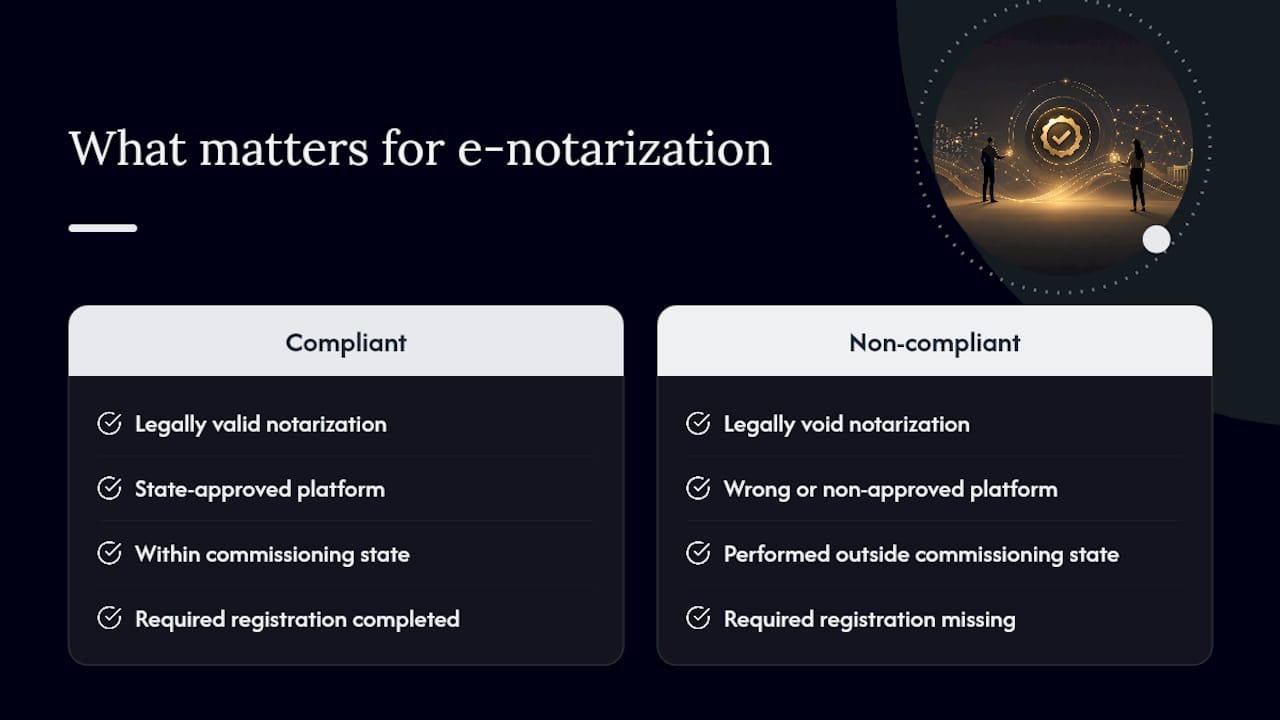
Compliance with state-specific e-notary rules is not a bureaucratic formality. It is the entire legal foundation of the notarization. A notarization performed with the wrong platform, outside your commissioning state, or without the required registration is not just technically deficient; it may be legally void, which means the document it was meant to authenticate carries no notarial weight at all.
What strikes me most, having worked through the practical side of electronic notarization procedures, is how often notaries underestimate the vendor documentation step. The technology itself is rarely the problem. Platforms are generally reliable. The failures happen in the paperwork: a vendor attestation that was never filed, a digital certificate that expired quietly, a journal entry missing the transaction ID. These are not dramatic failures. They are small omissions that become large problems when a document is challenged in court or a regulator opens an inquiry.
The electronic notarization guide for Ontario published by Theonlinenotary reflects the same principle in a different jurisdiction: the legal validity of a remote notarization depends entirely on following the governing authority’s rules, not on the technology being sophisticated or the session going smoothly. A smooth session on a non-compliant platform is still a failed notarization.
Theonlinenotary: remote notarization for Ontario residents

If you need a document notarized remotely and you are in Ontario, Theonlinenotary offers a direct path to a completed, legally valid notarization without leaving your home. The service covers affidavits, statutory declarations, solemn declarations, invitation letters, and remote witnessing of wills and powers of attorney, with set pricing per document and no retainer or subscription required.
The practical difference from searching for a local notary is straightforward: appointments are available online, the process is completed via a secure remote session, and you receive your notarized document the same day. For Ontario residents who need an affidavit notarized or a statutory declaration completed on short notice, that availability matters.
Book a remote notary appointment directly through Theonlinenotary’s services page to confirm availability and pricing for your document type.
Sources
Start with your state Secretary of State’s e-notary or RON page. That page will link to the approved vendor list, the application form, and any required training. Below are the primary sources referenced in this article.
- E-Notary Handbook (District of Columbia)
- E-Notary Guide (Rhode Island Secretary of State)
- Getting Started as an Online Notary (Texas Secretary of State)
- How to Become a Remote Online Notary | NNA
- How to perform remote online notarization - Notarystyle
- Electronic Notary Info - Missouri Secretary of State
This article is general information, not a substitute for advice from a qualified lawyer. Consult a qualified legal professional about your own circumstances before acting on anything here.