Get online notary certification in Ontario: step-by-step guide

TL;DR:
- Only specific documents like affidavits and declarations can be notarized online in Ontario, by licensed professionals.
- Eligibility requires employment supporting notarization duties, proof of Canadian work status, and approved documentation.
- Proper preparation, including accurate documentation and understanding rules, ensures successful online notarization.
You are trying to authenticate an important document remotely, a statutory declaration for immigration or an affidavit for a legal dispute, and you hit a wall. The rules are unclear, the paperwork is confusing, and one wrong step can delay your entire process. Online notary certification in Ontario is a genuine solution, but only if you understand exactly who qualifies, what documents you need, and where the process draws the line. This guide walks you through eligibility, required documentation, how remote notarization actually works, and the most common mistakes people make so you can move forward with confidence.
Table of Contents
- Who can apply: Eligibility and requirements
- What you need: Required documentation and fees
- How remote notarization works in Ontario
- Troubleshooting: Common mistakes and how to avoid them
- Our take: Why compliance is more than paperwork
- Next steps: Trusted online notary solutions in Ontario
- Frequently asked questions
Key Takeaways
| Point | Details |
|---|---|
| Eligibility is strict | Applicants must prove notarization is essential to their job and provide supporting documents. |
| Remote notarization is limited | Only oaths, affidavits, and declarations may be notarized online in Ontario. |
| Thorough documentation required | An employer letter, proof of work eligibility, security check, and $110 fee are mandatory for certification. |
| Avoid common mistakes | Double-check all documents and eligibility criteria before submitting your application. |
| Legal compliance is ongoing | Stay updated on regulations to maintain valid certification and avoid legal pitfalls. |
Who can apply: Eligibility and requirements
Understanding eligibility is your first real step. Ontario’s online notary system is more restrictive than most people expect, especially for non-lawyers.
The most important thing to know is that non-lawyers are not automatically excluded. Non-lawyers can apply if notarization is an essential part of their job duties, but there are specific conditions they must meet, including an employer letter, proof of work eligibility in Canada, being at least 18 years old, paying a $110 application fee, and consenting to a security check. The system is not open to individuals starting a new business or those who want notarization as a side service.
This distinction matters enormously. If you are a paralegal working at an established firm where notarizing documents is a core responsibility, you likely qualify. If you are trying to launch a new business offering notary services as your main product, the province will not approve your application at this stage. The rules exist to protect the integrity of legal document authentication in Ontario.
Core eligibility checklist
Here is a quick overview of who can and cannot apply:
| Eligibility factor | Qualifies | Does not qualify |
|---|---|---|
| Age | 18 years and older | Under 18 |
| Employment status | Employed, notarization is a job duty | Starting a new business |
| Legal work status | Authorized to work in Canada | No valid work authorization |
| Professional background | Non-lawyer with employer support | Lawyers already use LSO credentials |
| Security screening | Consents to background check | Refuses consent |
| Application fee | Pays $110 | Cannot pay or exempted |
Reading this table carefully before you begin saves you from wasting time on a rejected application.
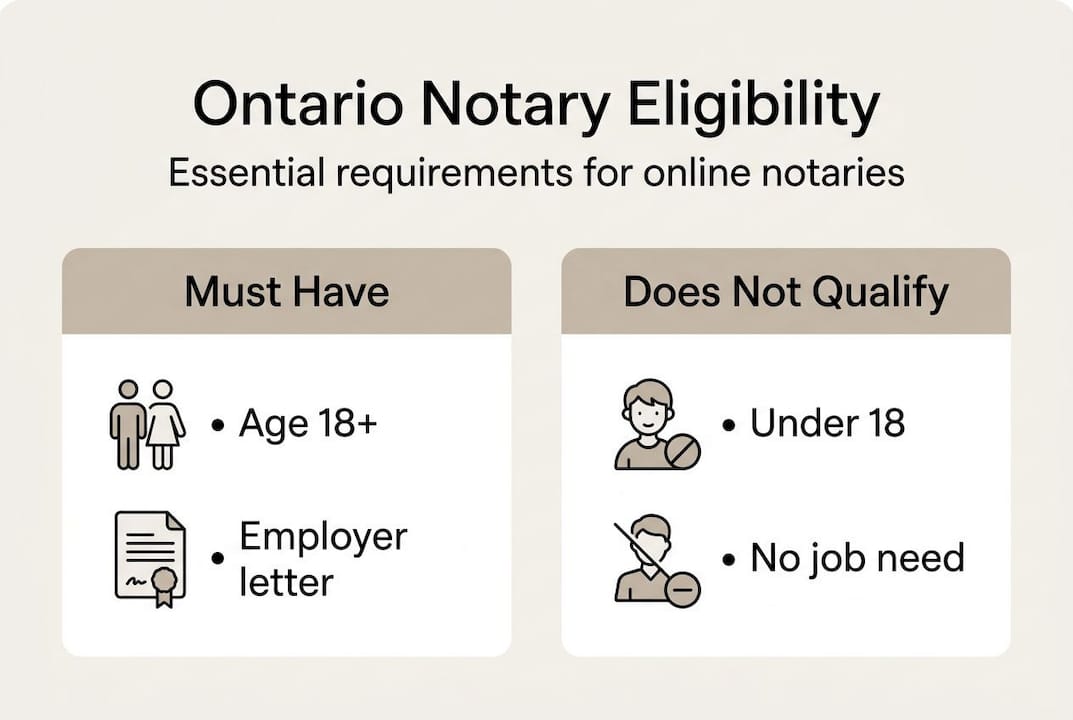
Beyond the checklist, your employer’s role is critical. The employer letter must do more than confirm your employment. It must specifically explain why notarization is a core, essential function of your role, not an occasional task. If your employer writes a vague letter that simply confirms you work there, your application will likely be denied. Ask your employer to be direct and detailed about how often you notarize documents and why that function cannot be separated from your job.
Those interested in becoming a notary online often underestimate how much the employer relationship influences the outcome. The province treats the employer letter as a primary indicator of legitimate need, so treat it accordingly.
One factor many people overlook is online notary accessibility for those in remote or underserved areas of Ontario. The system was designed in part to make legal services reachable for people who cannot easily travel to a law office, so if geography is your barrier, you are precisely the kind of applicant this program was built for.
Pro Tip: Secure your employer documentation before you fill out the application form. A missing or incomplete employer letter is the number one reason applications stall or get rejected. Get the letter reviewed for completeness first, then move forward.
Some applicants also look at models like the notary express franchise opportunity to understand how notary services are structured commercially. While this is a different market context, it helps illustrate how notarization roles are typically defined in a professional setting.
What you need: Required documentation and fees
Once eligibility is confirmed, gather the necessary paperwork and fees for your application. The documentation stage is where most applicants slow down or make costly errors.
There are four core items you will need to submit:
- Employer letter: This letter must be on official company letterhead, signed by an authorized representative, and must explicitly state that notarization is an essential function of your position. A generic employment confirmation will not pass review.
- Proof of work eligibility in Canada: Acceptable documents include a Canadian passport, permanent resident card, or a valid work permit. Copies must be legible and current.
- Consent for security check: You will need to sign a specific consent form authorizing the province to conduct a background screening. This is non-negotiable.
- Application fee payment: The $110 fee is paid at the time of submission and is not refundable if your application is denied.
Documentation requirements at a glance
| Document | Specific requirement | Common error |
|---|---|---|
| Employer letter | Signed, on letterhead, details essential duty | Too vague, missing signature |
| Work eligibility proof | Current, legible copy | Expired documents |
| Security check consent | Province-specific form, signed | Using a generic consent form |
| Application fee | $110, non-refundable | Submitting without payment |
The fee structure is straightforward, but the absence of a refund makes it vital to confirm your eligibility before you submit. A rejected application does not earn your money back.

Document format is another area where people make expensive mistakes. Some applicants submit scanned copies that are too dark or too light to read clearly. Others submit digital files in formats the system cannot process. Before uploading, verify that every document is in the required file format, typically PDF, and that each page is fully legible.
Signatures are a recurring problem. If your employer letter is signed but the signature is cut off at the edge of the scan, the application may be rejected on that basis alone. Review every page of every document as if you were the reviewer, not the applicant.
For a detailed walkthrough of each submission step, the online notarization instructions resource covers the process in a format that is easy to follow even if you have never submitted a legal application before.
Once submitted, you can track the status of your application and understand how the province verifies your credentials through the online notary verification process. Knowing what to expect during verification helps you respond quickly if additional documents are requested.
Pro Tip: Print every document and review it physically before scanning. It is far easier to catch a missing page, a cut-off signature, or a blurry section when you are holding the paper in your hand than when you are staring at a screen.
How remote notarization works in Ontario
With your documents ready, it is vital to understand the scope and process of remote notarization. Not everything can be done online, and this is one of the most misunderstood parts of the system.
Ontario’s remote notarization rules are specific. Remote notarization is limited to oaths, affidavits, and statutory declarations performed by lawyers or paralegals licensed through the Law Society of Ontario (LSO). Full notarization services including certified copies, powers of attorney, and real estate documents all require in-person attendance.
“Only specified documents may be notarized online in Ontario. Oaths, affidavits, and declarations meet the criteria. Certified copies, powers of attorney, and real estate documents do not.”
This boundary is important for anyone assuming that “online notary” means all notary services can be done remotely. It does not. The remote option was introduced as a targeted solution for a specific set of documents, not as a wholesale replacement for in-person notarization.
What can and cannot be notarized online
| Document type | Online (remote) | In-person required |
|---|---|---|
| Oaths | Yes | No |
| Affidavits | Yes | No |
| Statutory declarations | Yes | No |
| Certified copies | No | Yes |
| Powers of attorney | No | Yes |
| Real estate documents | No | Yes |
| Solemn declarations | Yes | No |
Here is how a typical remote notarization session works, step by step:
- Schedule the session: Book an appointment with an LSO-licensed lawyer or paralegal who offers remote services.
- Verify your identity: Present government-issued photo ID through a secure video connection. The notary must confirm your identity before the session proceeds.
- Review the document together: The notary reads through the document with you on the video call to confirm you understand its contents and are signing voluntarily.
- Administer the oath or affirmation: You take your oath or make your affirmation verbally on the call, which is recorded for the record.
- Sign the document electronically: You apply your electronic signature to the document through an approved platform.
- Notary countersigns: The notary applies their digital seal and signature, completing the notarization.
- Receive your certified document: The notarized document is sent to you electronically in a tamper-proof format.
Understanding online notary legality in Ontario helps you recognize why each of these steps is legally required. Skipping even one, like skipping the identity verification stage, invalidates the entire notarization.
If you are new to this process, the article on what is an online notary breaks down the role clearly, which is helpful before your first session.
Troubleshooting: Common mistakes and how to avoid them
Even with the process clear, mistakes happen. Here is how to avoid them and troubleshoot issues fast.
Most problems fall into three categories: documentation errors, eligibility misunderstandings, and technology failures during the remote session. Each has a clear fix.
The most common documentation errors include:
- Missing the employer letter entirely or submitting one that does not reference notarization as an essential duty
- Submitting expired proof of work eligibility
- Forgetting to sign the security check consent form
- Sending documents in the wrong file format or at poor resolution
Eligibility errors that cause rejections:
- Applying as a new business owner, which the application rules specifically exclude
- Assuming that because you occasionally notarize documents at work, that counts as an essential duty. It needs to be a defined core function.
- Misunderstanding that only LSO-licensed lawyers and paralegals can conduct remote notarization sessions, not certified non-lawyers
Tech problems that derail remote sessions:
- Poor internet connection causing the video feed to drop mid-session
- Using a device without a functioning camera or microphone
- Failing to pre-test the notarization platform before the scheduled appointment
Here is a numbered process to correct mistakes when they occur:
- Identify the specific rejection reason: The province’s notification will usually specify what is missing or incorrect. Do not guess.
- Gather corrected documents immediately: Contact your employer the same day if the letter needs revision. Do not wait.
- Recheck all document formats: Confirm file types, resolution, and completeness before resubmission.
- Test technology before rescheduling remote sessions: Run a video test call at least 24 hours before your appointment.
- Confirm the notary’s LSO license: Before your session, verify that the notary is currently licensed through the LSO.
- Resubmit with a cover note: If resubmitting, include a brief note identifying what changed so the reviewer does not have to cross-reference your previous submission from scratch.
For more on the full notarization process, notarize online in Canada is a useful overview of how the Canadian framework differs from province to province. And if you are comparing providers, the notary services comparison resource helps you evaluate options before committing.
Pro Tip: Review the Ontario regulations before submitting any application or entering any remote session. Knowing exactly what the rules say gives you a baseline to check your own documents against, rather than relying solely on what a third party tells you.
Our take: Why compliance is more than paperwork
Bringing all these details together, it is worth stepping back to look at what compliance really means in practice.
Most people approach notarization as a one-time task. Fill out the form, get the stamp, move on. But understanding online notary services at a deeper level reveals that compliance is an ongoing discipline, not a single event.
In 2026, digital records and electronic signatures carry real legal weight. That means a poorly conducted remote session or an improperly formatted document does not just cause a delay. It can create a legal vulnerability that resurfaces months later in court, in immigration proceedings, or in a property transaction. We have seen situations where a single missing signature on an affidavit invalidated months of preparation.
The applicants who navigate this process most successfully are not the ones who read the most guides. They are the ones who build habits: checking document formats before every submission, confirming notary credentials before every session, and keeping organized digital records of everything they submit and receive. Compliance is not a checklist you complete once. It is a standard you maintain.
Next steps: Trusted online notary solutions in Ontario
If you are ready to move forward with confidence, here is where you can find expert support for your certification.
Navigating online notary certification in Ontario is manageable when you have the right support. Whether you need an affidavit notarized quickly, a statutory declaration authenticated for legal proceedings, or help with a solemn declaration for an immigration file, working with an experienced provider removes the guesswork entirely.

Our Ontario online notary services are designed specifically for individuals and businesses in Ontario who need fast, reliable, legally compliant document authentication. From invitation letters to affidavits and beyond, we handle the details so your documents are accepted the first time. You can also review the public notary requirements Ontario guide to confirm exactly what your situation calls for before you book.
Frequently asked questions
Can non-lawyers become online notaries in Ontario?
Yes, non-lawyers can apply if notarization is an essential job duty, but they must provide an employer letter, proof of Canadian work eligibility, and pass a security check. New business owners are not eligible.
What types of documents can be notarized online in Ontario?
Only oaths, affidavits, and statutory declarations can be notarized online, performed exclusively by LSO-licensed lawyers or paralegals. All other document types require in-person notarization.
What is required to apply for online notary certification in Ontario?
Applicants must submit an employer letter, proof of work eligibility in Canada, a signed security check consent form, and pay a non-refundable $110 application fee.
Can online notary certification be used for real estate or powers of attorney?
No. These documents require in-person notarization in Ontario and fall outside the scope of what remote notarization currently permits.