Electronic notarization in Ontario: secure, legal, efficient

TL;DR:
- Ontario now allows fully legal remote notarizations via real-time video under strict regulations.
- The process involves identity verification, electronic signing, and detailed session record-keeping.
- Digital notarization enhances accessibility, security, and efficiency compared to traditional in-person methods.
Many people still believe that notarizing a document means driving to a lawyer’s office, waiting in line, and signing a stack of papers in person. That assumption is outdated. Ontario has embraced remote commissioning, allowing oaths, affidavits, statutory declarations, and solemn declarations to be completed legally through real-time video. Whether you are a business processing contracts across the province or an individual needing a notarized invitation letter without leaving home, electronic notarization offers a fully compliant path forward. This guide explains what electronic notarization is, how it works, what the law requires, and how to choose a service you can trust.
Table of Contents
- What is electronic notarization in Ontario?
- Step-by-step electronic notarization process
- Legal requirements and security for electronic notarizations
- Choosing the right service for electronic notarization
- Why digital notarization is more than just convenience
- Trusted electronic notarization services in Ontario
- Frequently asked questions
Key Takeaways
| Point | Details |
|---|---|
| Legal in Ontario | Electronic notarization is fully permitted for key legal documents, supported by provincial regulations. |
| Remote commissioning | You can notarize oaths, affidavits, and declarations through real-time video and digital platforms. |
| Security and compliance | Identity verification and encrypted records are mandatory to ensure legal validity and document safety. |
| Step-by-step guides | Preparing for your e-notarization is easy with clear instructions and secure digital tools. |
| Choose expert services | Selecting a vetted provider guarantees efficiency, legal compliance, and quality support for your needs. |
What is electronic notarization in Ontario?
Electronic notarization is the process of having a notary public or commissioner of oaths witness and certify a document using digital tools and a real-time audio-visual connection, rather than meeting face-to-face. The result carries the same legal weight as a traditional notarized document, provided all required steps are followed correctly.
Traditional vs. electronic notarization
Traditional notarization requires both you and the notary to be physically present in the same room. You bring your government-issued ID, sign the document in front of the notary, and they apply their stamp and signature. It works, but it is time-consuming, geographically limiting, and often inconvenient for people outside major urban centers.
Electronic notarization removes those barriers entirely. The notary appears on your screen, you present your identification through the video interface, and you sign electronically. The entire session is documented, and the notary completes a modified jurat that notes the remote method and the locations of both parties.
| Feature | Traditional notarization | Electronic notarization |
|---|---|---|
| Location requirement | In-person, same room | Remote, anywhere in Ontario |
| Document signing | Wet ink signature | Electronic signature |
| Identity verification | Physical ID check | Video-based ID verification |
| Record-keeping | Paper file | Digital record with session notes |
| Turnaround time | Depends on scheduling | Often same-day or next-day |
| Accessibility | Limited by geography | Available across Ontario |
What Ontario law says
Ontario’s approach to remote commissioning is grounded in clear regulation. Remote commissioning is permitted under O. Reg. 431/20 for oaths and declarations conducted via real-time audio-visual communication, with mandatory identity verification, a modified jurat noting the locations and method used, and proper record-keeping. This regulation gave legal standing to a process that Ontarians increasingly need.
You can explore an in-depth breakdown of the rules in this Ontario electronic notarization legal guide to understand exactly which documents qualify and how the law protects all parties.
The documents most commonly handled through electronic notarization in Ontario include:
- Affidavits for court filings and personal matters
- Statutory declarations for benefits, immigration, and government processes
- Solemn declarations required by federal and provincial agencies
- Invitation letters for visa applications
- Contracts and business agreements requiring witnessed signatures
“Electronic notarization is not a workaround. It is a fully regulated, legally recognized process that meets the same evidentiary standards as traditional notarization when completed correctly.”
The key distinction is compliance. A document notarized remotely by a qualified Ontario notary following O. Reg. 431/20 holds the same legal weight in court and government processes as one signed in a physical office.
Step-by-step electronic notarization process
Understanding the basics, let’s walk through how electronic notarization works for businesses and individuals in Ontario.
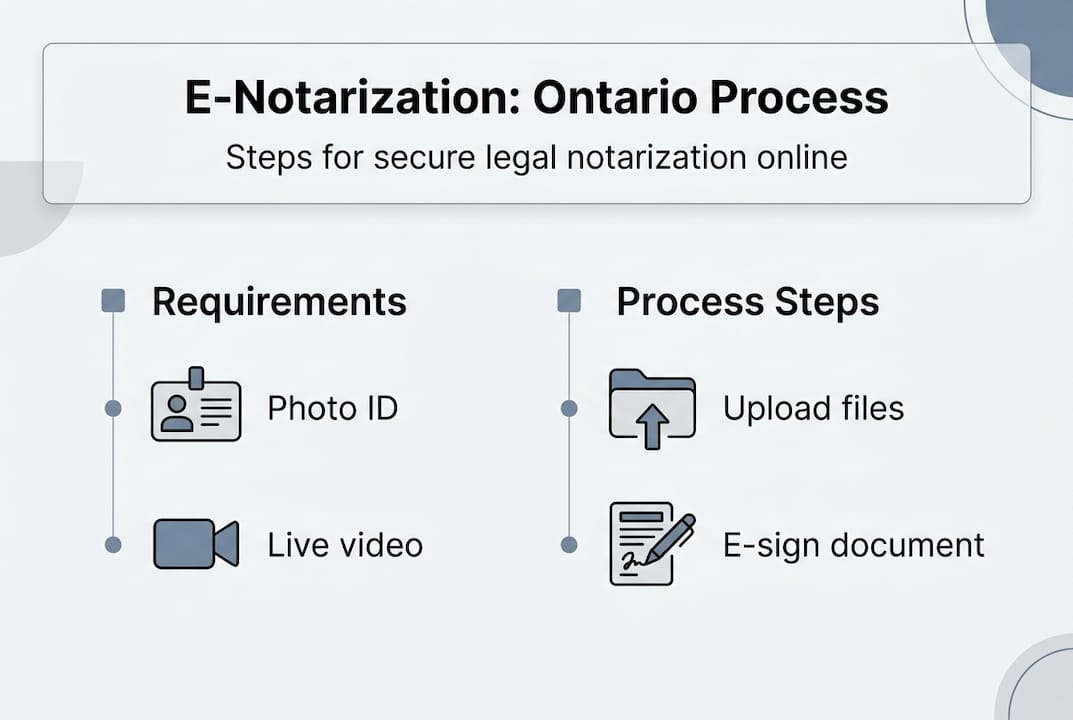
The process is more straightforward than most people expect. Here is exactly what happens from start to finish.
Step 1: Prepare your document
Before your session, you upload your document to the notary’s secure platform. This might be an affidavit, a statutory declaration, or a contract. Make sure you have reviewed it thoroughly and that all information is accurate. Errors caught after notarization require starting over, which wastes time and money.
Step 2: Schedule your session
Book a time that suits you through the provider’s online scheduling tool. Many services offer same-day or next-day availability, which is a significant advantage over traditional offices. You will receive a secure link to the video session.
Step 3: Complete identity verification
When you join the session, the notary will ask you to show a valid, government-issued photo ID clearly on camera. This typically includes a driver’s license, passport, or provincial ID card. The notary is required to verify your identity visually and document the method used, as outlined in the step-by-step notarization instructions for Ontario residents.
Step 4: Review and take your oath or declaration
The notary will display the document on screen. You will read or be read the oath or declaration. This is the moment where you formally affirm the content is true. The notary guides you through it clearly, so there is no guesswork.
Step 5: Apply your electronic signature
Once the oath is administered, you sign electronically using the platform’s built-in signing tool. The notary then countersigns and applies their digital seal. Both signatures are timestamped and tied to the specific session.
Step 6: Receive your notarized document
The completed document is sent to you digitally, usually as a PDF. The notary retains a record of the session, noting both parties’ locations and the audio-visual method used, as required by O. Reg. 431/20.
Pro Tip: Before your session, test your camera, microphone, and internet connection. A session that drops mid-oath must be restarted from the beginning, which delays your document and frustrates everyone involved. Check how to prepare for your session so you are ready from the first minute.
The entire process typically takes between 15 and 30 minutes. Compare that to driving downtown, parking, waiting, and driving back, which can easily consume half your workday.
Legal requirements and security for electronic notarizations
With the steps laid out, it is essential to ensure your electronic notarizations meet Ontario’s legal and security requirements.
Ontario’s framework is specific. Meeting every requirement is not optional. A notarized document that skips a mandated step may be rejected by courts, government agencies, or receiving institutions.
The core legal requirements
Under O. Reg. 431/20, every remote commissioning session must include:
- Real-time audio-visual communication between the deponent and the notary, with no pre-recorded footage allowed
- Identity verification that the notary conducts personally and documents
- A modified jurat on the document that specifies the remote method used and the location of both the notary and the person signing
- Record-keeping by the notary that includes session details, identity documents reviewed, and the date and method of commissioning
| Requirement | What it means in practice |
|---|---|
| Real-time video | Live, uninterrupted connection; no recordings substituted |
| Identity verification | Government-issued photo ID shown clearly on camera |
| Modified jurat | Statement on the document noting remote method and locations |
| Record-keeping | Notary retains session log, ID notes, and document copy |
Security standards that protect you
Security in electronic notarization goes beyond the video call. Reputable providers use end-to-end encryption for document transmission, meaning no third party can intercept your file in transit. Session recordings and records are stored in encrypted, access-controlled systems. Your ID is never saved unnecessarily, and platforms compliant with Ontario’s standards must follow privacy law alongside notarial law.

Read more about how digital notarization security works in Ontario and what encryption standards to expect from a trustworthy service.
The modified jurat is a small but critical element. It is the section of the document where the notary certifies what happened during the signing. In a remote session, it must explicitly state that the commission was administered remotely, via audio-visual technology, and include the geographic locations of both parties at the time.
Pro Tip: Never use a notarization service that cannot clearly explain how it stores your session data, protects your identity documents, and complies with Ontario’s privacy regulations. Ask directly before you book. A provider following online notary best practices will answer these questions immediately and transparently.
Businesses handling multiple documents should pay particular attention to record-keeping on their own end as well. Keep copies of all notarized documents in a secure internal system. If a document is ever challenged, having your own copy of the completed file supports your position.
Choosing the right service for electronic notarization
You have learned the process and legalities. Here is how to pick a trusted electronic notarization provider for your needs.
Not all services are equal. Some platforms offer electronic signatures without any qualified notary involvement, which is not the same thing as legal notarization. Others may use notaries who are not commissioned in Ontario, making their work invalid for provincial purposes. Choosing the wrong service can mean your document is rejected, forcing you to repeat the entire process.
What to look for in a provider
Here are the qualities that separate compliant, professional services from inadequate ones:
- Ontario-licensed notaries and commissioners of oaths who are current and qualified under provincial law
- Clear compliance with O. Reg. 431/20, including the modified jurat and mandatory record-keeping
- Secure, encrypted platforms for document upload, session hosting, and digital record storage
- Transparent pricing with no hidden fees after booking
- Prompt customer support that can answer legal or technical questions before and after your session
- Experience with your document type, whether that is an affidavit, statutory declaration, invitation letter, or business contract
- Same-day or fast-turnaround availability for urgent matters
Review digital notary service best practices to understand the benchmarks that qualified Ontario providers must meet. You can also browse the online notary tips for guidance on common document situations.
Red flags to avoid
Be cautious of any service that cannot tell you which regulation governs their process. Avoid platforms that never connect you with a live notary or that only use electronic signature tools without an administered oath. If a service cannot describe its jurat process or explain how it handles record-keeping, it likely does not meet Ontario’s requirements.
Pro Tip: Before committing to a provider, ask if they have notarized your specific document type before and whether their modified jurat has been accepted by institutions you are submitting to. A few questions upfront can save you significant time and money.
Businesses in particular benefit from building a relationship with a single trusted notary service. Having a provider who already understands your document types, processes, and timelines removes friction every time a new filing needs to be completed.
Why digital notarization is more than just convenience
Most articles stop at “it saves time.” That is true, but it misses the more significant shift happening in Ontario’s legal ecosystem.
Digital notarization is primarily about access and integrity, not just speed. Before remote commissioning became legally recognized, people in rural Ontario, individuals with disabilities, small business owners managing urgent cross-provincial contracts, and newcomers unfamiliar with local systems all faced disproportionate barriers. A one-hour drive to a notary’s office is not inconvenient for everyone equally. For some, it is genuinely prohibitive.
Electronic notarization does not just make things faster. It makes legal document processing available to people who previously could not access it reliably. That is a meaningful change in how Ontario’s legal infrastructure serves its population.
There is also an integrity argument worth making. A well-run electronic session with identity verification, encrypted records, and a documented jurat may actually produce a more verifiable paper trail than a traditional in-person signing. Physical documents can be lost, misfiled, or altered. A digital record with timestamps, session logs, and encrypted storage is harder to tamper with and easier to retrieve years later.
We believe that following online notary best practices consistently means the digital process strengthens, not weakens, document security. The traditional assumption that “in-person equals more secure” deserves more scrutiny than it typically gets.
Trusted electronic notarization services in Ontario
Ready to apply what you have learned? Here is where Ontario residents and businesses can access expert, fully compliant electronic notarization.

At The Online Notary, we provide electronic notarization for affidavits, invitation letters, statutory declarations, solemn declarations, and more, all conducted by qualified Ontario-licensed notaries following O. Reg. 431/20. Our sessions are secure, fast, and accepted by courts, government offices, and institutions across the province. Explore our trusted online notary services to see the full range of documents we handle. If you are unsure what identification to bring to your session, review our notary identification requirements before booking. We are here to make legal compliance straightforward, accessible, and stress-free for every client.
Frequently asked questions
Are electronic notarizations legal for all documents in Ontario?
Electronic notarizations are permitted for oaths, declarations, affidavits, and certain legal documents under O. Reg. 431/20, but some documents may still require traditional in-person notarization depending on the receiving institution.
What technology do I need for electronic notarization?
You need a device with a working camera and microphone, a stable internet connection, and access to the notary’s secure video and document platform, as required by remote commissioning regulations for real-time audio-visual communication.
Is identity verification mandatory for electronic notarization?
Yes, identity verification is a required step for every remote session, and the notary must document how it was conducted, as mandated under O. Reg. 431/20.
How are electronic notarization records kept?
Ontario notaries must retain a record of each remote session, including the method used, the locations of both parties, and the identity documents reviewed, as specified in Ontario’s remote commissioning rules.
Can businesses use electronic notarization for contracts?
Businesses can use electronic notarization for contracts, affidavits, and declarations that qualify under O. Reg. 431/20, provided the documents are administered by an Ontario-licensed notary through a compliant audio-visual platform.
Recommended
- Secure Online Notarization in Ontario: Step-by-Step Guide - The Online Notary
- Efficient Online Notarization for Multiple Documents in Ontario - The Online Notary
- Digital Notary Security: Legal Compliance in Ontario - The Online Notary
- Electronic notarization in Ontario: 2026 legal guide - The Online Notary