Can You Notarize Online in Ontario? Complete Legal Guide

TL;DR:
- Ontario permits remote commissioning only for affidavits, declarations, and oaths, not full notarizations.
- Documents like powers of attorney or certified true copies require in-person notarization, not online.
- Using licensed Ontario commissioners and following strict legal procedures ensures valid online notarization.
Many Ontario residents assume that if you can sign a contract digitally and verify your identity through an app, you can notarize any document online too. That assumption is wrong, and acting on it can result in rejected documents, legal disputes, or wasted time and money. Ontario’s rules around online notarization are specific, technical, and easy to misread. This guide explains exactly what the law permits, which documents qualify, how the remote process works, and where things commonly go wrong so you can move forward with full confidence and no unpleasant surprises.
Table of Contents
- What Ontario law says about online notarization
- Which documents can (and can’t) be notarized online?
- Step-by-step process: How online notarization works
- Risks, limitations, and edge cases in remote notarization
- Why Ontario’s online notarization rules aren’t as simple as they seem
- Need to notarize online? We make it simple and compliant
- Frequently asked questions
Key Takeaways
| Point | Details |
|---|---|
| Remote notarization is legal | Ontario allows affidavits and statutory declarations to be commissioned online by licensed professionals. |
| Not all documents qualify | Certified true copies, powers of attorney, and real estate documents require in-person notarization. |
| Strict compliance is critical | Online notarizations must follow identity, video, and record-keeping protocols to be valid. |
| Know the risks and edge cases | Improperly commissioned documents may be rejected, so always confirm requirements first. |
What Ontario law says about online notarization
Ontario did not always allow remote notarization. For most of legal history in the province, a document that required notarization or commissioning had to be signed in person in front of a qualified professional. That changed during the COVID-19 pandemic, when the province introduced emergency rules to keep legal processes moving while in-person meetings were restricted.
The legal authority now comes from Ontario Regulation 431/20, which permits remote commissioning of oaths, affidavits, and statutory declarations for commissioners taking affidavits. This regulation created a formal framework for what is now called remote commissioning. It is not a loophole or a workaround. It is actual law with specific conditions attached.
Understanding the difference between a commissioner for oaths and a notary public matters here. In Ontario, a notary public is a lawyer who holds additional credentials. A commissioner for oaths is a broader category that includes lawyers, paralegals licensed by the Law Society of Ontario, and certain public officials. Remote commissioning, as allowed under O. Reg. 431/20, applies to commissioners for oaths, not to the full scope of notarial acts. That distinction is important because it limits which documents can be handled remotely.
Only lawyers and licensed paralegals regulated by the Law Society of Ontario can provide legally valid remote commissioning services in Ontario. Using someone who is not licensed, even if they offer online signing services and use the word “notary,” puts your document at serious legal risk.
When a document is “commissioned,” it means a qualified professional has witnessed you swear or affirm that the contents are true. A commissioned document typically contains a formal statement called a jurat, which confirms the commissioner’s credentials, the date, and where the oath was taken. In remote sessions, this jurat is modified to reflect the online method.
Remote commissioning is legal in Ontario, but it is not the same as full notarization. Not every act that a notary public performs can be done remotely. The law is specific about scope, and that scope matters for your document.
Key points about what the law allows:
- Remote commissioning covers oaths, affirmations, affidavits, and statutory declarations
- It does not cover the full range of notarial acts such as certifying true copies or authenticating documents for international use
- The professional must be licensed and regulated in Ontario
- Specific technology, procedure, and documentation requirements must be met
Understanding this legal framework for remote notarization is the essential starting point before you book any online session.
Which documents can (and can’t) be notarized online?
Knowing that online commissioning is legal in Ontario is only half the picture. The other half is knowing whether your specific document actually qualifies. This is where many people run into trouble, often after they have already paid for a session and submitted their paperwork.
Documents eligible for remote commissioning include affidavits and statutory declarations. Documents that require certified true copies, powers of attorney, real estate instruments, or international authentication require in-person notarization. That is a significant list of exclusions.
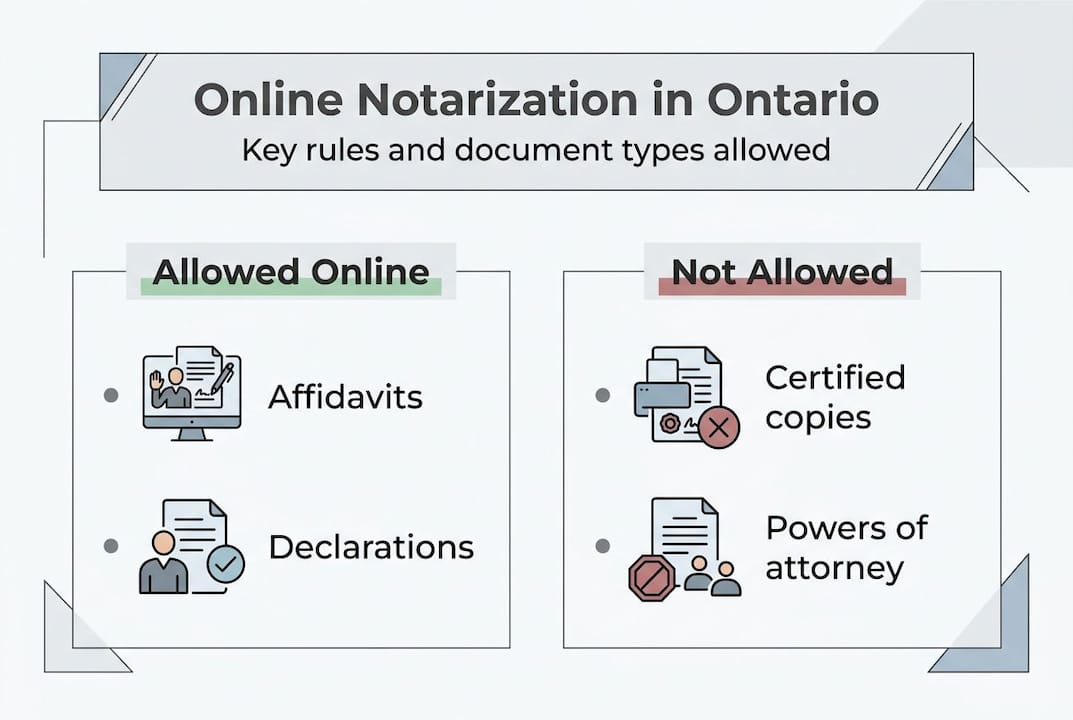
Here is a clear comparison of what you can and cannot handle online:
| Document type | Online commissioning allowed? | Notes |
|---|---|---|
| Affidavit of support | Yes | Commonly used for immigration or court purposes |
| Statutory declaration | Yes | Often used for name changes, lost documents, benefits claims |
| Solemn declaration | Yes | Similar to statutory declaration with sworn affirmation |
| Invitation letter (sworn) | Yes | Must be in affidavit or declaration format |
| Certified true copy | No | Requires in-person examination of original |
| Power of attorney | No | Must be witnessed in person |
| Real estate documents | No | Governed by stricter real property rules |
| Documents for foreign government use | No | Require apostille or consular authentication |
Affidavits are among the most commonly requested documents, and understanding the range of affidavit types in Ontario helps you determine quickly whether your situation fits the remote model. The same applies to statutory declarations, which are sworn statements used widely in administrative, legal, and personal contexts.
Here are four situations where online commissioning is the right fit:
- You need to swear an affidavit confirming your relationship to a visa applicant
- You need a statutory declaration for a lost passport or identity document
- You need a solemn declaration to support a legal claim or administrative process
- You need a sworn letter of invitation for a family member traveling to Canada
And here are situations where you must go in person:
- You need a certified true copy of a university degree or birth certificate
- You are signing a power of attorney for property or personal care
- Your document is destined for a foreign court or government authority
- You are signing real estate purchase or sale documentation
Pro Tip: Before booking any online session, contact the organization or institution that will receive your document and ask them directly whether they accept remotely commissioned documents. Their answer takes priority over any general rule.
Step-by-step process: How online notarization works
Once you confirm that your document qualifies for remote commissioning, the process itself is straightforward. That said, understanding each step beforehand prevents delays, technical hiccups, and the frustration of having to redo a session.
The legal requirements for remote commissioning are clearly defined: real-time audio-video communication is mandatory, identity must be verified, the jurat must be modified to note the remote method and locations of both parties, and the commissioner must maintain records of the session.
Here is what happens during a typical online notarization session, from booking to completion:
- Schedule your appointment. Contact a licensed Ontario commissioner for oaths who offers remote services. Share the document type and confirm eligibility upfront.
- Prepare your document. Have the completed (but unsigned) document ready before the session. Do not sign it in advance. The oath must be taken live in front of the commissioner.
- Gather your ID. Government-issued photo ID is required. A passport or driver’s license works best. Have it ready to hold up to your camera clearly.
- Join the video call. Use a device with a stable internet connection, a working camera, and a microphone. Platforms like Zoom or Microsoft Teams are commonly used.
- ID verification. The commissioner will ask you to display your ID on camera. They will verify the name, photo, and relevant details match what you have provided.
- Take the oath or affirmation. You will be asked to swear or affirm that the document’s contents are true. This is the moment that makes the commissioning legally valid.
- Sign the document. You sign your name on screen or physically on paper depending on the platform and process used.
- Commissioner completes the jurat. The commissioner adds their signature, seal, and a modified jurat that notes both your location and theirs, and that the session was conducted remotely.
Here is a quick reference table of the key requirements:
| Requirement | Detail |
|---|---|
| Communication method | Real-time video and audio, no prerecorded sessions |
| ID accepted | Government-issued photo ID (passport, driver’s license) |
| Document status at session | Unsigned until oath is administered |
| Jurat modification | Must note remote commissioning and both party locations |
| Record keeping | Commissioner must keep a record of the session |
| Commissioner credential | Licensed by Law Society of Ontario |
For a more detailed walkthrough, the online notarization instructions resource walks through each stage with practical guidance, including what to do if your technology fails mid-session. You can also review the detailed process guidance for answers to edge case questions before your appointment.
Pro Tip: Test your camera, microphone, and internet connection at least 15 minutes before your session. A failed video call can void the session if the commissioner cannot properly verify your identity in real time.
Risks, limitations, and edge cases in remote notarization
Even when you follow the rules exactly, remote notarization carries risks that in-person notarization does not. Understanding them is not meant to discourage you. It is meant to help you avoid costly mistakes.

One of the most common mistakes is having a document that lacks an oath or declaration component. Documents without an oath or declaration cannot be commissioned remotely. In that situation, you either need to add a proper oath component or handle the document in person. This is not always obvious from looking at a document, which is why expert review before your session matters.
Out-of-province signers present another complication. If you are located outside Ontario during the session, you should check in advance whether the receiving institution will accept a document commissioned while you were outside the province. Some do, some do not. There is no universal rule here.
The Law Society of Ontario has flagged the risk of invalidity for documents processed through non-compliant services. Using an unlicensed provider or a platform that does not meet the technical requirements of O. Reg. 431/20 can make your document legally worthless.
Here are the most common risks and how to address them:
- Using an unlicensed commissioner. Platforms that offer “notarization” without a licensed Ontario commissioner are not legally valid for Ontario documents. Always verify credentials.
- Signing before the session. If you sign your document before swearing the oath, the commissioning is invalid. The oath must come first.
- Poor video quality. If the commissioner cannot clearly see your face and ID, the session may need to be restarted or rescheduled.
- Wrong document type. Submitting an ineligible document for remote commissioning creates a false sense of security. The document may look legitimate but will fail review.
- Missing jurat details. If the modified jurat does not correctly note the remote nature of the session, the receiving party may reject it.
- Recipient non-acceptance. Some government agencies, courts, and foreign institutions simply do not accept remotely commissioned documents. Their policy is what counts, regardless of whether the process was technically compliant.
For more on how Ontario online notarization legality intersects with practical situations, it helps to understand how document authentication differs from commissioning. The difference between legalization and notarization is especially important when your document is destined for use outside Canada.
Why Ontario’s online notarization rules aren’t as simple as they seem
Here is an opinion worth considering: the biggest problem with online notarization in Ontario is not the technology or even the law. It is the language. The word “notarize” is used so broadly in everyday conversation that people assume it means one consistent thing. It does not.
In Ontario, “notarize” can mean commissioning a document, certifying a copy, authenticating for international use, or witnessing specific legal instruments. Each of those is a different legal act with different rules. Remote commissioning covers only a slice of what people casually call notarization.
We see this confusion constantly. Someone books an online session thinking they can get a certified true copy handled quickly, then discovers mid-session that it does not qualify. Or they use a service that looks professional and legally compliant but is operated by someone who is not licensed by the Law Society of Ontario, and the document is later rejected.
The advice we stand behind is this: always verify what your document recipient will actually accept before choosing remote or in-person commissioning. The rules that matter most are not in the regulation. They are in the requirements of the court, immigration office, or government agency reviewing your paperwork. Checking Ontario legal notary guidance is a good starting point, but it should always be paired with direct confirmation from the receiving party.
Need to notarize online? We make it simple and compliant
Navigating Ontario’s remote commissioning rules is easier when you work with professionals who do this every day. Our services cover affidavits, statutory declarations, solemn declarations, invitation letters, and more, all handled by licensed commissioners in full compliance with Ontario law.

Whether you are just starting or you have already confirmed your document qualifies, our trusted online notary services are designed to get your paperwork done right, without unnecessary delays or legal risk. If you want to understand the full process before committing, the step-by-step remote notarization guide walks you through every stage clearly. We handle the legal complexity so you can focus on what comes next.
Frequently asked questions
Is online notarization legally recognized in Ontario?
Online notarization is legal in Ontario for affidavits and statutory declarations when remote commissioning rules under O. Reg. 431/20 are strictly followed. Both the professional and the process must meet the regulation’s requirements.
What documents cannot be notarized online in Ontario?
Powers of attorney, certified true copies, real estate documents, and international authentication cannot be handled online and require an in-person notarization session with a qualified professional.
Can I use a remote notary outside Ontario?
No. You must use a commissioner licensed in Ontario by the Law Society of Ontario, as out-of-province commissioners are not recognized for Ontario legal documents regardless of their local credentials.
How is my identity verified during online notarization?
Your identity is confirmed using real-time video where you display government-issued photo ID, with the commissioner conducting live ID verification to match your face and credentials before proceeding.
What if my document is rejected after remote notarization?
Rejection typically means the process was not compliant with Ontario’s rules or the receiving party does not accept remotely commissioned documents. The LSO’s invalidity warnings make it clear that using non-compliant services is the most common cause of post-submission rejection.