
Last Updated: October 25, 2026
Quick Summary
The most common notarization mistakes are signing before the appointment, leaving blanks in the document, using the wrong notarial certificate, bringing unacceptable ID, and arriving without the complete document set. Each one forces a delay, a re-notarization, or a rejected document at the bank or government office.
- Leave every signature field blank until the notary witnesses you sign at the appointment.
- An acknowledgment confirms voluntary signing, while a jurat confirms you swore to the contents.
- Bring original, current government photo ID with a name that matches the document exactly.
- Bring the entire document, including exhibits and schedules, not just the signature page.
- Ask the receiving institution in writing for the exact notarial wording and witness arrangement.
Table of Contents
- 7 Common Mistakes When Preparing Documents for Notarization
- 1. Signing the document before the appointment
- 2. Leaving blanks or incomplete information
- 3. Using the wrong notarial certificate or wording
- 4. Bringing identification that does not meet the standard
- 5. Arriving without the complete document set
- 6. Not confirming the signer is willing and aware
- 7. Ignoring jurisdiction and format requirements
- Your Notarization Checklist: What to Confirm Before You Sign
- What to Bring to a Notary Appointment: Identification and Documents
- Signing Documents in Front of a Notary: Why Timing and Presence Matter
- Remote Online Notarization Requirements: Preparing for a Video Appointment
- How Document Type Changes Your Preparation
- Where Signers Get It Wrong: Real-World Consequences and Fixes
- Book Your Online Notary Appointment with Confidence
- Frequently Asked Questions
7 Common Mistakes When Preparing Documents for Notarization
Most rejected notarizations fail for reasons that have nothing to do with the notary. They fail because of how the document was prepared before the appointment. The same handful of notarization mistakes surface again and again, and nearly all of them are avoidable with a few minutes of preparation.
Here is the short answer: the most common mistakes when preparing documents for notarization are signing too early, leaving blanks in the document, using the wrong notarial certificate, bringing unacceptable ID, and arriving without the full document set. Each one forces a delay, a re-notarization, or a rejected document at the bank or government office.
Below, we walk through all seven, then give you a checklist you can run before you sign anything.
1. Signing the document before the appointment
This is the single most common error. A notary must witness your signature. If you signed at home, the notary cannot certify that the signature is yours, and the notarial act is invalid. Leave every signature field blank until the appointment begins.
2. Leaving blanks or incomplete information
A notary generally cannot notarize a document with missing names, dates, or key terms. Blank fields invite tampering later, and most notaries will refuse to proceed. Fill in everything you can before the appointment, and confirm the document is complete from first page to last.
3. Using the wrong notarial certificate or wording
An acknowledgment and a jurat are not interchangeable. An acknowledgment confirms you signed voluntarily; a jurat confirms you signed in the notary's presence and swore to the truth of the contents. If the receiving institution requires specific notarial wording, bring that wording with you. A mismatched certificate can get the document rejected downstream.
4. Bringing identification that does not meet the standard
Notaries must verify identity with acceptable government-issued photo ID. An expired licence, a photocopy, or a health card alone often will not pass. Bring original, current ID and make sure the name matches the name on the document exactly.
5. Arriving without the complete document set
Notarizing page three of a twelve-page agreement is rarely enough. Bring the entire document, including exhibits and schedules, plus any instructions the receiving body provided. Partial documents create processing delays and sometimes require the whole notarization to be redone.
6. Not confirming the signer is willing and aware
A notary must confirm you understand what you are signing and are doing so voluntarily. If you arrive unprepared, unsure, or unable to explain the document, the notary may pause or decline. Read the document beforehand.
7. Ignoring jurisdiction and format requirements
Requirements vary by province and by receiving institution. Some documents need a witness in addition to the notary; some need specific formatting for international use. Confirm the requirements for your document type before the appointment, not after.
| Mistake | Why it fails | The fix |
|---|---|---|
| Signed too early | Notary cannot witness the signature | Leave signature fields blank |
| Blanks in the document | Document looks incomplete or tamperable | Complete all fields first |
| Wrong certificate wording | Receiving body rejects the notarial wording | Confirm required wording in advance |
| Unacceptable ID | Identity cannot be verified | Bring current government photo ID |
| Partial document set | Notarization is incomplete | Bring every page and exhibit |
| Signer unprepared | Notary cannot confirm willingness | Read the document beforehand |
| Ignored requirements | Format or witness rules unmet | Check jurisdiction rules early |
Your Notarization Checklist: What to Confirm Before You Sign
A notarization checklist is a short pre-signing review that confirms identity, document completeness, certificate wording, and appointment logistics before the notarial act begins. Running it takes minutes and prevents most re-notarizations.
Use this checklist before every appointment:
- Every signature field is still blank
- All names, dates, and key terms are filled in
- The document is complete, including exhibits and schedules
- The required notarial certificate wording is confirmed
- Original, current government photo ID is in hand
- The name on your ID matches the document exactly
- Any required witness is arranged
- Instructions from the receiving institution are printed or saved
- You have read the document and can confirm you are signing willingly
What to Bring to a Notary Appointment: Identification and Documents
Knowing what to bring to a notary appointment removes most of the friction. Bring three things: acceptable original photo ID, the complete unsigned document, and any written instructions from the institution that will receive it.
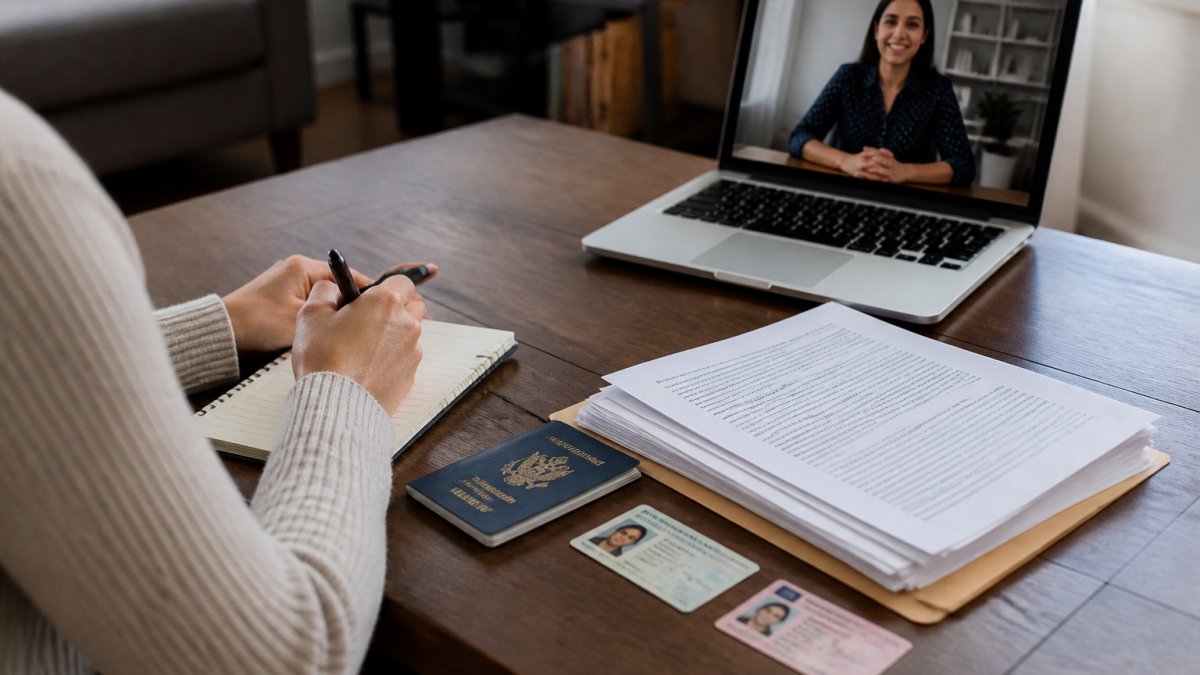
On identification, the standard is government-issued photo ID that is current and original. See the full list of identification documents for notary services in Ontario so you bring valid ID. A passport or driver's licence is typical. The name must match the document you are signing, including middle names and hyphenation.
For the document itself, bring every page. Notaries need to see the full context, not just the signature page. If the document references an exhibit, bring the exhibit.
Signing Documents in Front of a Notary: Why Timing and Presence Matter
Signing documents in front of a notary is not a formality. The notary is certifying that they watched you sign and confirmed your identity at that moment. Sign early, and the certification is false.
The practical rule: do not touch the signature line until the notary tells you to. This applies to every signature field, including initials on each page if the document requires them.
Presence matters for a second reason. The notary must confirm you are willing and aware. That judgment happens in real time, through conversation and observation. A signer who cannot explain the document, or who seems to be signing under pressure, may be asked to pause.
A common mistake is treating the appointment as a rubber stamp. It is a legal act with real consequences for the document's validity.
Remote Online Notarization Requirements: Preparing for a Video Appointment
Remote online notarization requirements are similar to in-person ones, with a few added technical steps. You still need acceptable ID, an unsigned complete document, and a private space where the notary can confirm you are alone and acting willingly.
Prepare in advance:
- Test your camera, microphone, and internet connection
- Have your photo ID ready to hold up to the camera
- Upload or open the complete document before the call
- Sit somewhere private with good lighting
- Keep your phone nearby in case the connection drops
A common mistake is joining the call from a busy public space. The notary needs to confirm willingness and awareness, and background distractions can complicate that. If your connection fails mid-call, reputable providers let you reschedule rather than charging you again.
How Document Type Changes Your Preparation
Different documents carry different preparation requirements, and treating them all the same is where signers get caught out. The certificate type, witness rules, execution order, and page-level initialing can all change based on what you are signing. Before any appointment, confirm which category your document falls into and what it needs. Learn more about document types for notarization in Ontario.
Affidavits and statutory declarations. These typically require a jurat, meaning you swear or affirm the truth of the contents in the notary's presence. The jurat wording usually includes a venue line (province and city), the date, and the notary's signature and seal.
Consent letters for travel with a minor. These are frequently requested by border authorities and often need the signature witnessed and the certificate worded for the receiving authority. Some receiving bodies want the letter to name the specific travel dates, destinations, and accompanying adults, and some want the notary to confirm the signer's identity and willingness in a specific format.
Powers of attorney and estate documents. These frequently require a witness alongside the notary, and some provinces set specific execution rules, including who may and may not act as witness (for example, a witness who is also a named attorney or beneficiary can create a conflict).
Real-estate and loan signing packages. These can run to dozens of pages with multiple signature and initial fields that must be completed in a set order.
Documents intended for use abroad. These often need an authentication or apostille step after notarization, and the certificate wording may need to match the receiving country's expectations. Prepare by confirming whether the destination country requires an apostille, a consular legalization, or a specific certificate format, and ask the notary in advance whether they can provide the wording the receiving authority expects.
Where Signers Get It Wrong: Real-World Consequences and Fixes
The consequences of notarization mistakes are rarely dramatic, but they are always inconvenient. A rejected affidavit means a missed filing deadline. A consent letter with the wrong wording can stall a family at a border crossing. A loan package with a missed initial means the entire package is returned for re-signing.
Watch out: signing a document at home "just to save time" is the mistake that causes the most rework. The notary cannot certify a signature they did not witness, and the fix is a full re-notarization.
The division of responsibility is worth stating plainly. The signer is responsible for bringing a complete, unsigned document and valid ID. The notary is responsible for verifying identity, witnessing the signature, and applying the correct certificate and seal. When signers arrive prepared, the notary can do their part without delay.
Book Your Online Notary Appointment with Confidence
Preparing documents correctly is the difference between a five-minute appointment and a week of rework. The seven mistakes above are all fixable before you ever join a call.
At The Online Notary, we connect you with commissioned and licensed Canadian notaries over live video, with bank-grade identity verification and a tamper-evident digital seal on every document. Appointments are available evenings and weekends, and same-day slots are often open. Pricing is transparent and flat-rate, so there are no surprises.
[Schedule your online notary appointment] and get your document notarized by a licensed Canadian notary, from wherever you are.
Frequently Asked Questions
What should I bring to a notary appointment?
Bring the complete, unsigned document, government-issued photo ID (such as a driver's licence or passport), and any supporting paperwork the notary requests. For remote online notarization, have a reliable internet connection and a quiet, well-lit space. If witnesses are required, confirm their availability in advance. The notary will verify your identity and willingness before proceeding.
Should I sign a document before meeting with a notary?
No. Signing before the appointment is one of the most common notarization mistakes. The notary must witness your signature to confirm you signed willingly and in their presence. Pre-signed documents are typically rejected, requiring re-notarization and causing delays. Leave all signature fields blank until the notary instructs you to sign during the appointment.
Can a notary notarize a document with blank spaces?
Most notaries will refuse to notarize a document with blank spaces because incomplete information raises fraud concerns. Fill in every field before the appointment, except for signature and date lines that the notary will witness. If a section does not apply, mark it N/A rather than leaving it empty. A complete document reduces the risk of rejection.
What are the remote online notarization requirements?
Remote online notarization requires a government-issued photo ID, a device with a camera and microphone, and a stable internet connection. You must be in a private, well-lit space and present the complete document for review. The notary will verify your identity and confirm you are signing willingly. Check that the platform uses encrypted video and provides a tamper-evident digital seal.
